iLoveIMG upscaler alternative: what the Upscale image tool does, what it costs, and what this site can’t do
The iLoveIMG upscaler enlarges one image by x2 or x4 if it is under 6 MP and 6 MB; this site is not an alternative for that, because it cannot upscale and every result is 1024 × 1024, while for same-size edits like clean-up or backgrounds its editor takes about 37 seconds and 10 credits per image. Free with sign-up: 10 credits = 1 image, then from $0.13.
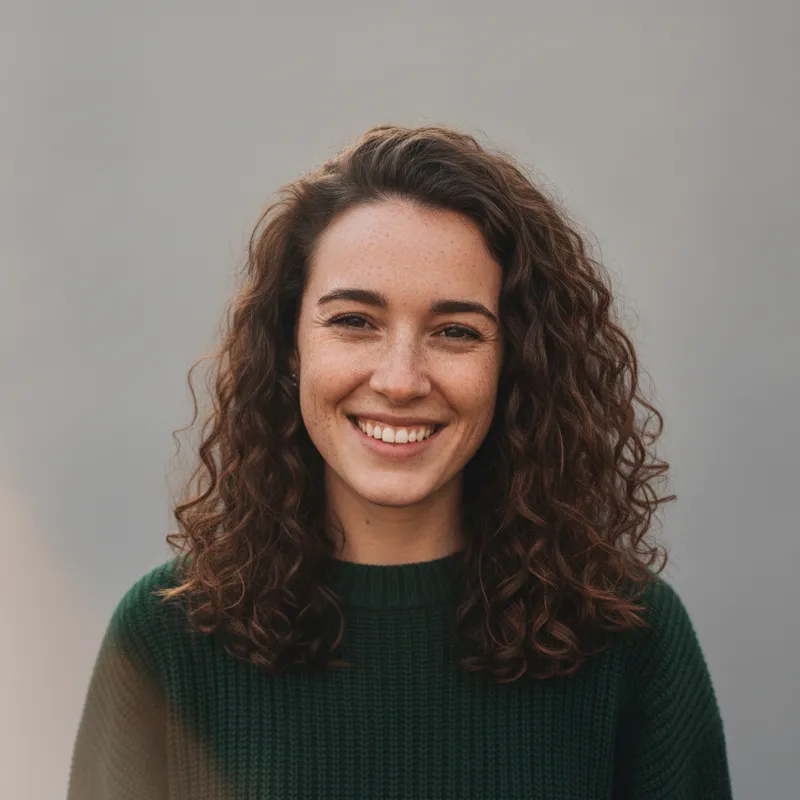
 Your photo
Style changes (cartoon, 3D, anime) are not reliable yet. If the result looks unchanged, try again or describe the change more specifically.
One-tap edits
- Cannot upscale: output is 1024 × 1024
- Not affiliated with iLoveIMG
- Free with sign-up: 10 credits = 1 image
- the two sizes on iLoveIMG’s Upscale page
- x2 · x4
- iLoveIMG’s stated upscale input limits, on every plan
- 6 MP · 6 MB
- size of every result from this site’s editor
- 1024 × 1024
- largest upload here (JPEG, PNG or WebP)
- 8 MB
What the iLoveIMG upscaler does, free and Premium
The Upscale image page and its blog post
- The page’s browser title is “Free AI Image Upscaling Tool” and its description says “Try it now for free”. Yet when we opened it in a browser, a “Premium” badge sat above the heading “Upscale image”. The page does not say which part, if any, needs a paid plan.Source: iloveimg.com/upscale-image ·
- You pick a size multiplier, x2 or x4, and click “Upscale” to upscale “any image smaller than 6MP”. You can choose files from your device, Google Drive or Dropbox. Login and Sign up links are in the header; the page does not say whether an account is needed. It does not state an output cap, accepted formats, a watermark rule or file retention.Source: iloveimg.com/upscale-image ·
- iLoveIMG’s own blog post on the tool is dated 23 May 2023. It says the tool enlarges “by up to four times”, walks through four steps (open the tool, upload, choose x2 or x4, click Upscale) and gives no limits or prices. Its footer reads 2026.Source: iloveimg.com blog ·
Plans and limits (the pricing page)
- Three plans in USD: Free, Premium and Business. Premium is $7 billed monthly, or $4 a month ($48) billed yearly, for 1 to 25 users; Business is custom. Free lists “no AI Credits”; Premium lists “2.000 AI Credits” (written that way). The page does not say whether upscaling spends credits.Source: iloveimg.com/pricing ·
- In the limits table, “Upscale image” shows 1 image at a time for Free and 3 for Premium and Business, and a file size of 6 MB on all three. The table’s columns are not labelled; we read them in plan order. The page’s own embedded script data agrees: 1 file and 6 MB for signed-out and signed-in free users, 3 files for Premium.Source: iloveimg.com/pricing and the upscale page ·
- The rest of the suite has much bigger limits. For example Compress image allows 200 MB and 30 files on Free and 4 GB and 120 files on Premium; Remove background is 6 MB and 3 files; the Image editor is 50 MB and 1 file. Premium also lists no ads, priority support, regional file processing and “Mobile (via iLovePDF)”.Source: iloveimg.com/pricing ·
Files, privacy, apps and API
- Retention: the privacy policy says the company deletes your content “within two (2) hours” of processing it, the terms repeat it, and the security page adds that you can delete files by hand on the download screen. The operator named is ILOVEPDF, S.L., Barcelona, Spain. The policy says your content is not used to train its own or third-party AI models.Source: iloveimg.com help pages ·
- The security page says files are protected with HTTPS in transit and at rest, and it claims ISO/IEC 27001:2022 certification and GDPR compliance; those are the company’s claims, which we did not audit. The terms forbid using the services to make deepfakes or AI content meant to deceive, and say unused AI credits expire five years after purchase.Source: iloveimg.com help pages ·
- Apps: the app links in the footer lead to the iLovePDF app, and the pricing page lists “Mobile (via iLovePDF)” for Premium only. We found no iLoveIMG-only app. API: the pricing page promotes iLoveAPI, described as document automation for developers, with no price shown; it does not say whether the upscale tool is included.Source: iloveimg.com help and pricing pages ·
This site (our own settings, read on 2026-11-19)
- Output size: every result from a square photo in our staging runs was 1024 × 1024, and the editor has no enlarge factor or size option. The upload limit is one JPEG, PNG or WebP up to 8 MB, plus a written request up to 400 characters. There is no compress, resize, crop, convert or watermark tool here: it is one editor.Source: This site’s settings ·
- The one-tap “Sharpen and clean up” edit asks the model to gently sharpen the photo, reduce noise and compression artifacts, and recover fine detail in hair, fabric and edges, keeping everything else and the people as they are. That is a generative edit, not a pixel-for-pixel enlarger. Separately, the site can turn one photo into a silent 5-second 720p clip for 15 credits, paid credits only.Source: This site’s settings ·
Not confirmed
- Whether a free, signed-out visitor can actually run the upscale: the page title says free, a Premium badge says otherwise, and we did not upload a file to find out. Any free daily limit is also not stated on the pages we read; the help FAQ only says a message appears when you go over your limits.Source: iloveimg.com ·
- The largest output size: the page does not state one. Its script holds a pixel value of 33,177,600 for the tool (the pixel count of 7,680 × 4,320), which the page does not explain, so we do not treat it as a limit. Watermark, accepted formats, the model behind the tool and the quality of its results are not stated either.Source: iloveimg.com/upscale-image ·
- How the result compares with other upscalers: we ran none of them, and the pages that rank for this word are mostly blog posts and directories. We do not rank quality.Source: Web search (not Google) ·
Side by side
iLoveIMG upscaler on Free, on Premium, and this site
| - | iLoveIMG Free | iLoveIMG Premium | This site |
|---|---|---|---|
| Does it enlarge? | Yes: x2 or x4 (the page also shows a Premium badge) | Yes: x2 or x4 | No. Every result is 1024 × 1024 |
| What it is | One tool in a suite of one-job image tools | The same suite with higher limits and no ads | One editor where you type the change |
| Upscale limits (as stated) | Under 6 MP, 6 MB, 1 image at a time | Under 6 MP, 6 MB, 3 images at a time | One photo up to 8 MB (JPEG, PNG, WebP) |
| Price (as stated) | Free plan; no AI credits listed | $7 a month, or $4 a month billed $48 a year | Free with sign-up: 10 credits = 1 image; then 10 credits per image, from $0.13 on a monthly plan |
| Files kept | Deleted within two hours of processing | Deleted within two hours of processing | Photos 24 hours after the run; results 30 days |
| Apps and API | Web page; apps listed are iLovePDF’s | Mobile via iLovePDF; iLoveAPI is a separate product | Web page only |
| Account | Not stated for upscaling | Tied to Premium (blog post) | Sign-in required |
When to use which
Which tool for which job
You need a bigger picture: use an upscaler
For x2 or x4 enlarging of one image under 6 MP, the iLoveIMG Upscale page is one option; check its Premium badge first. Our pages on the Bigjpg alternative and the smart upscaler look at other tools. This site cannot do it.
You need to compress, resize, crop or convert: use the suite
iLoveIMG has a separate tool for each of those, and this site has none of them. If the file is simply too heavy, a utility suite is the right place; the editor here does not make files smaller.
You need the same size but a different look: use the editor here
Upload one photo and tap “Sharpen and clean up”, or write your own request (up to 400 characters) for a background, lighting or clean-up. It takes about 37 seconds and 10 credits.
Check the size before you upload
The result comes back at 1024 × 1024. A photo near iLoveIMG’s 6 MP limit has about 5.7 times as many pixels as that, so editing it here makes it smaller: keep your original file.
Prompts
One-sentence versions of suite jobs, for this site’s editor (no enlarging)
A utility suite splits these jobs into separate tools; here each is one typed request at 1024 × 1024, and none enlarges the picture. We did not run them for this page, so results may vary. You can also type your own request in the editor, up to 400 characters.
Compressed JPEG, now blocky
Another “smart” route to a sharper picture: smart upscalerNot run for this page. It is the same idea as the one-tap “Sharpen and clean up” edit; the result comes back at 1024 × 1024, so a bigger file still needs an upscaler.
After compressing: clean up a blocky JPEG
Keep my face, hair, clothes and the whole composition exactly the same. Remove the blocky compression artifacts and halos around edges, smooth flat areas, and keep edges crisp without changing any colours. No text, logos or watermarks.
Plain white behind a portrait
Turn the result into a 5-second clip: free AI video generatorNot run. This is a generative edit, so check the hair edge on your own photo; it is not a pixel-exact cut-out.
Remove-background style: plain white behind a portrait
Keep my face, hair, clothes and pose exactly the same. Replace everything behind me with a plain, evenly lit white background and a soft natural shadow under my shoulders, with clean edges around my hair. No text, logos or watermarks.
Dark phone photo
The same limit explained for 4K: 4K photo enhancerNot run. Grain from low light is noise, not missing resolution, so brightening and cleaning is a different job from enlarging.
Brighten a dark phone photo
Keep the people, pose and framing exactly the same. Brighten this dark photo, lift muddy shadows without blowing out highlights, reduce grain and colour noise, and keep natural skin tones. No text, logos or watermarks.
Busy background
Compare other upscalers’ limits: Bigjpg alternativeNot run. The blur is painted by the model, so it may not match a real lens exactly.
Soften a busy background
Keep my face, hair, clothes and pose exactly the same. Blur the busy background behind me into a soft, natural-looking depth of field so I stand out, without changing my edges or the colours. No text, logos or watermarks.
Pricing on this site
Credit packs or a monthly plan.
Credits come in one-time packs ($4.99 for 50 credits, $9.99 for 120 credits, $19.99 for 300 credits); each image costs 10 credits. Or pick a plan from $9.90 a month (500 credits), cancel anytime. That is pay per edit, not a subscription to a whole suite like iLoveIMG Premium.
Refund policy- Basic · $9.90/month500 credits a month · about 50 images · $0.20 per image
- Pro · $19.90/month1500 credits a month · about 150 images · $0.13 per image
Billed every month and renews automatically. Cancel anytime in Settings; you keep the plan until the end of the month you paid for. Each month's credits are for that month; unused ones expire.
Refund policyPhoto tools on this site
Images and short clips: edits, restyles and effects for your own photo


FAQ
Questions, answered
Is the iLoveIMG upscaler free?
It is unclear. The page title says “Free AI Image Upscaling Tool” and its description says to try it for free, but a Premium badge sits above the heading, and the pricing page lists one image at a time for Free and three for Premium, 6 MB on every plan. We did not upload a file, so we cannot say what a free visitor gets.
What are the iLoveIMG upscale image limits, and does it do x2 and x4?
The page offers x2 and x4 and says it upscales any image smaller than 6MP. The pricing page lists 6 MB per file on Free, Premium and Business, and 1 image at a time on Free and 3 on Premium and Business. It states no output cap.
Is this site an iLoveIMG upscaler alternative? Can it upscale?
Not for enlarging. This site cannot upscale: every result is 1024 × 1024 and there is no enlarge option. It also has no compress, resize or convert tools. It edits one photo at the same size: clean-up, backgrounds, lighting. For bigger files, use an upscaler.
What happens to my pictures on iLoveIMG?
Its privacy policy and terms say your content is deleted within two hours of processing, and the security page says you can delete files by hand. The policy says content is not used to train AI models. These are the company’s statements; we did not test them.
Is there a free iLoveIMG AI upscaler alternative?
Other upscalers state their own free tiers: our Bigjpg alternative page summarises what Bigjpg, Upscayl, waifu2x and Upscale.media say on their own pages. We did not compare quality. This site is not an upscaler, and its free offer is a one-time sign-up gift, not an enlarging service.
Does iLoveIMG have an app or an API for upscaling?
We found no iLoveIMG-only app: its footer app links lead to the iLovePDF app, and Premium lists mobile access via iLovePDF. It also promotes iLoveAPI, a separate developer product with no price shown; the pages we read do not say whether the upscale tool is included.
Can I upscale to 4K or make a video here?
No 4K: the result is 1024 × 1024, and our 4K photo enhancer page explains the limit. The site can turn one photo into a silent 5-second 720p clip for 15 credits, paid credits only; the sign-up gift does not pay for it.
Can I try something here for free?
Partly: new accounts get 10 free credits after signing in, enough for 1 free image (once per account, valid for 7 days, while the day's new-account gifts last). Each image costs 10 credits, from $0.13 per image on a monthly plan.
Need one photo edited, not enlarged?
Upload it, tap “Sharpen and clean up” or write the change, and download the result in about 37 seconds.
Edit a photo hereIndependent site. Not affiliated with iLoveIMG, iLovePDF, ILOVEPDF S.L. or any other tool named here, and this site does not enlarge images. Facts about iLoveIMG come from its own pages, read on 2026-11-19; prices, limits and availability may change.