16K upscaler: is 16K real, which tools claim it, and does a file that big help?
A 16K upscaler enlarges an image to about 15,360 × 8,640 pixels (132.7 million), and this site is not one: its editor returns 1024 × 1024 and enlarges nothing, but it can clean up, sharpen and relight one photo in about 37 seconds for 10 credits. Free with sign-up: 10 credits = 1 image, then from $0.13 per image on a monthly plan.
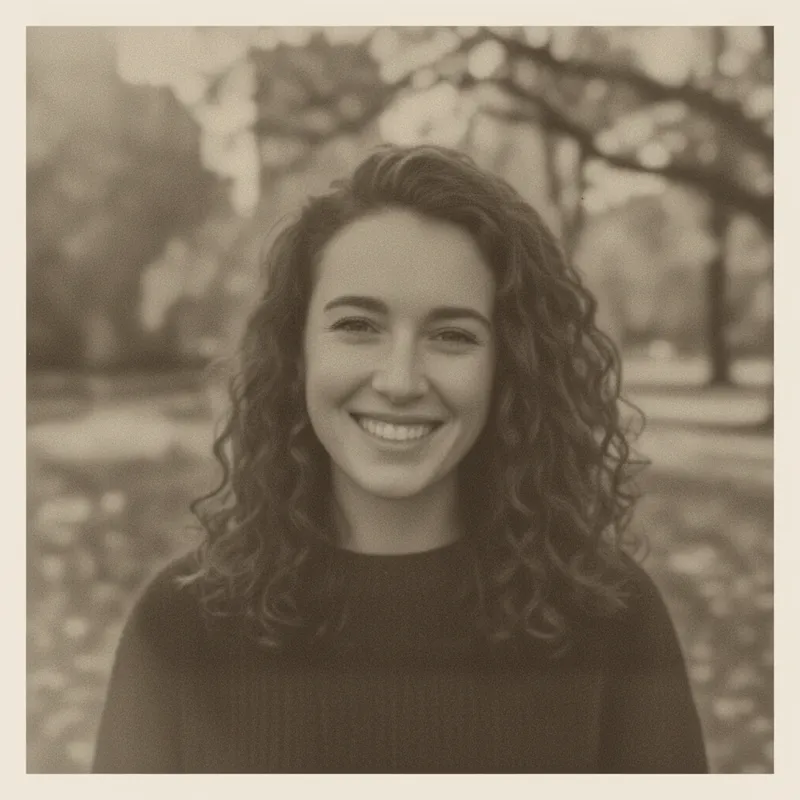
 Your photo
Style changes (cartoon, 3D, anime) are not reliable yet. If the result looks unchanged, try again or describe the change more specifically.
One-tap edits
- Not an upscaler: results are 1024 × 1024
- Which tools claim 16K, with their stated limits
- Free with sign-up: 10 credits = 1 image
- one 16K frame, 15,360 × 8,640 pixels (Wikipedia, read 2026-11-19)
- 132.7 MP
- the pixels of a 4K UHD frame (Wikipedia)
- 16×
- a 16K frame in raw 8-bit colour, before compression (our arithmetic)
- ≈ 398 MB
- what this site returns: 1024 × 1024, measured
- 1.05 MP
What is a 16K upscaler?
A 16K upscaler is software that enlarges a picture until its long side is about 15,360 pixels. The usual 16K frame is 15,360 × 8,640, which is 132,710,400 pixels, about 132.7 megapixels: four times 8K, sixteen times 4K UHD and sixty-four times 1080p (Wikipedia). Some tools use 16,384 pixels on the long side instead. Because the tool only adds pixels, the result is only as detailed as the original plus whatever the AI invents. This site is not a 16K upscaler: it returns 1024 × 1024 pixels.
- 16K: 15,360 × 8,640 = 132.7 MP
- 4K UHD: 3,840 × 2,160 = 8.3 MP (16× fewer)
- This site: 1024 × 1024 = 1.05 MP, no upscaling
Which 16K upscaler tools exist, and what limits do they state?
Several do, by their own account. Sogni says its 16K profile reaches 15,360 pixels on the longest edge, with outputs above 7,680 pixels saved as JPEG. getimg.ai lists “up to 16K” on four of its five models. Imagera says its cloud upscaler makes 16K for 120 credits an image and takes uploads up to 50 MB and 179 megapixels. Topaz says “up to 16x pixels”, and Let’s Enhance says “up to 512 megapixels”, about four times a 16K frame by our arithmetic. Upscayl says “up to 16x”, which is a factor, not 16K. The table has the details; we tested none of them.
- Sogni: 15,360 px longest edge, JPEG above 7,680 px
- Imagera: 16K at 120 credits, input up to 50 MB and 179 MP
- Let’s Enhance: up to 512 MP; Topaz: up to 16x pixels
Is a 16K image useful?
Only for very large prints, and only if the detail is real. At 300 pixels per inch a 16K frame prints 51.2 × 28.8 inches (Imagera quotes the same). On screens it is mostly wasted: a 4K display shows 8.3 megapixels, a sixteenth of the file. Wikipedia says 16K runs only on prototype displays as of October 2026, while also listing a 16K television shown in 2023 and a commercial 16K display from 2019. The file is heavy too: raw 8-bit colour is about 398 MB by our arithmetic, and Imagera says a 16K JPEG runs 40 to 65 MB. And the same vendor warns that detail at 8× and above is largely generated, so a file can be 16K in pixels without holding 16K of information.
- 300 ppi: 15,360 px = 51.2 in wide
- A 4K screen shows 1/16 of a 16K frame
- Raw 8-bit RGB: about 398 MB; JPEG about 40–65 MB (vendor)
Can this site make a 16K image?
No. We asked for “4K quality” in a prompt on 2026-11-19 and the editor returned 1024 × 1024, the same size as every other result we have measured; asking for a bigger size does not change it. Taking 1024 pixels to 15,360 is 15 times the width and 225 times the pixels, so a square 16K file would be 235,929,600 pixels against our 1,048,576 (our arithmetic). Even if you enlarge our result elsewhere, almost all of that file would be invented detail.
- Measured: 1024 × 1024, also when we asked for “4K quality”
- 15× the width, 225× the pixels to reach 15,360 px square
- Use a tool from the table for enlarging
What to do instead of chasing 16K
Decide the size you actually need first. A 4K file, 3,840 pixels across, prints 12.8 inches wide at 300 pixels per inch, which covers most photo books and screens. Our 4K photo enhancer page has the print math and a sourced table of tools. Then, if your photo is small, soft or damaged, use this site’s editor (up to 400 characters of instructions, about 37 seconds, 10 credits) to clean it up first, and enlarge the result with a tool from the table.
- Pick the print size before the pixel count
- Clean up first; enlarge second
- Check faces and text at 100%
What we read, and what we could not confirm
What 16K and 4K are
- 16K is 15,360 × 8,640, about 132.7 megapixels: four times 8K, sixteen times 4K, sixty-four times 1080p. As of October 2026 the article says 16K runs only on prototype displays, and it also lists a 110-inch 16K TV shown in 2023 and a commercial 16K display from 2019.Source: Wikipedia, 16K resolution ·
- 4K UHD is 3,840 × 2,160, 8,294,400 pixels, about 8.3 megapixels.Source: Wikipedia, 4K resolution ·
- “250 to 300 dpi is optimum to print photo images”; 150 is often enough for plain-paper inkjet.Source: Scantips, printing guide ·
- The perception-distortion trade-off: the closer a restored picture is to the original by a measure, the less natural it must look. Blau and Michaeli, CVPR 2018.Source: arXiv 1711.06077 ·
Tools that state a 16K or very large output (vendor claims, not tested by us)
- A 16K profile with a 15,360 px maximum on the longest edge (512 to 15,360 px per edge), JPEG above 7,680 px; “promptless and deterministic” with “no generative repaint”; no maximum input stated. Unlimited $20 a month or $199 a year; Spark packs from $1.99 for 250; “Free Spark every month”, amount not stated.Source: Sogni RTX VSR (self-reported) ·
- “Up to 16K” on four of five models, every model reaches 4K, batches of up to 50 images. No maximum input size or free tier is stated on the page; plan prices appear only in the page’s code, not its visible text.Source: getimg.ai (self-reported) ·
- A cloud 16K upscaler at 120 credits an image, packs from $39.99 for 350 credits; uploads up to 50 MB and 179 MP; JPEG output at quality 95; its free on-device enlarger stops at 4× and adds no AI detail. A vendor blog, so every figure is self-reported.Source: Imagera blog (self-reported) ·
- Says “up to 16x pixels”; a 30,000 px maximum dimension for the Photoshop plugin; a 32 MP cloud export limit on Studio plans (web products only); Wonder models “are generative”; a free trial is not mentioned.Source: Topaz Gigapixel (vendor page) ·
- Says “up to 512 megapixels” and “up to 16x”; a “Start free” button but no credit count and no prices on the page.Source: Let’s Enhance (vendor page) ·
- Free and open source (AGPL-3.0); “up to 16x”; “really large resolutions”; needs a Vulkan-compatible GPU; no numeric output or memory limit stated.Source: Upscayl (homepage and GitHub) ·
On this site: next steps
- The evergreen guide: what 4K means in pixels, print math, a sourced table of tools, and our measured clean-up test.Source: This site: 4K photo enhancer
- Another page on this site, about smart upscalers.Source: This site: smart upscaler
- A page on this site for people looking for an alternative to Picsart’s image upscaler.Source: This site: Picsart image upscaler alternative
- Fixing scratches, fading and colour on old photos with this editor.Source: This site: restore old photos
Not confirmed
- Whether any tool’s 16K output holds real detail: we upscaled nothing, so we make no claim about quality.Source: This page ·
- Maximum input size for getimg.ai and Sogni, getimg.ai’s free allowance and visible prices, and Topaz’s per-model maximum output.Source: getimg.ai, Sogni, Topaz ·
- The 16K claims of Magnific, UniFab, ImgUpscaler and ElevenLabs: they showed up in search results, but we did not open their pages, so we quote nothing from them.Source: WebSearch results (not Google) ·
- Which 16K upscaler is best: not tested, no ranking.Source: This page ·
Compare
16K upscaler tools: stated limits, and this site
| Tool | Largest output as stated | Free tier and price as stated | Other limits as stated |
|---|---|---|---|
| Sogni RTX VSR | 16K profile: 15,360 px on the longest edge | Free Spark each month (amount not stated); Unlimited $20 a month or $199 a year; packs from $1.99 | JPEG above 7,680 px; no maximum input stated; larger outputs cost more Spark |
| getimg.ai upscaler | “Up to 16K” on 4 of 5 models; every model reaches 4K | Free tier not stated on the page; plan prices only in the page code, from $15 a month | Batches of up to 50 images; no maximum input stated |
| Imagera cloud upscaler | 16K, 15,360 px on the longest edge | Free tier not mentioned; 120 credits an image; packs from $39.99 for 350 credits | Uploads up to 50 MB and 179 MP; 16K JPEG about 40–65 MB; free on-device tool stops at 4× |
| Topaz Gigapixel | “Up to 16x pixels”; Photoshop plugin up to 30,000 px | Free trial not mentioned; Personal $29 a month or $127 for the first year (sale price shown) | Studio plans list a 32 MP cloud export limit; Wonder models are generative |
| Let’s Enhance | “Up to 512 megapixels”, about 3.9× a 16K frame (our arithmetic) | “Start free”; no credit count and no prices on the page | Web app; JPG, PNG and WebP; “No watermark on paid plans” |
| Upscayl | “Up to 16x”, a factor, not 16K; no pixel limit stated | Free, open source (AGPL-3.0) | Needs a Vulkan-compatible GPU; memory use not stated |
| This site (not an upscaler) | 1024 × 1024; no upscaling | Free with sign-up: 10 credits = 1 image; then 10 credits per image, from $0.13 on a monthly plan | Web, sign-in required |
Step by step
How to decide on 16K and get a big file the honest way
Work out the size you need
Multiply the print size in inches by 300 (or 250 for a lab). A 24 × 36 inch poster needs 7,200 × 10,800 pixels at 300, far below 16K. Only prints around 50 inches wide reach it.
Start from the best original and clean it up
If it is small, soft or damaged, upload it here and paste a prompt below: about 37 seconds, 10 credits, result 1024 × 1024. If your original is already larger than that, skip this step.
Enlarge it with a tool whose limits fit
Check the longest edge, the input size cap, the file type and the price on the tool’s own page. This site does not do this step.
Check at 100%, and keep the original
Look at faces, text and fine patterns. Detail added by AI is guessed, and a very large file is heavy to store and send.
Prompts
Prompts to prepare a photo before you enlarge it elsewhere
These prompts are for this site’s editor, which returns 1024 × 1024 and enlarges nothing. The first was run once on 2026-11-19 with a fictional old portrait; the other two were not run. We have not tested them in other tools. Results vary with the photo.
Remove scratches and grain before you enlarge
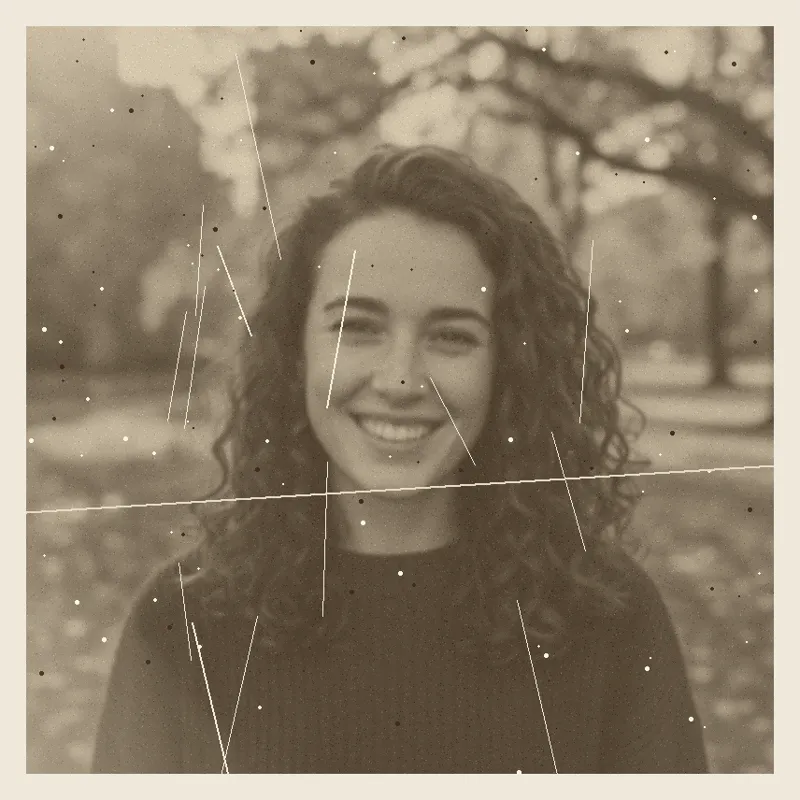
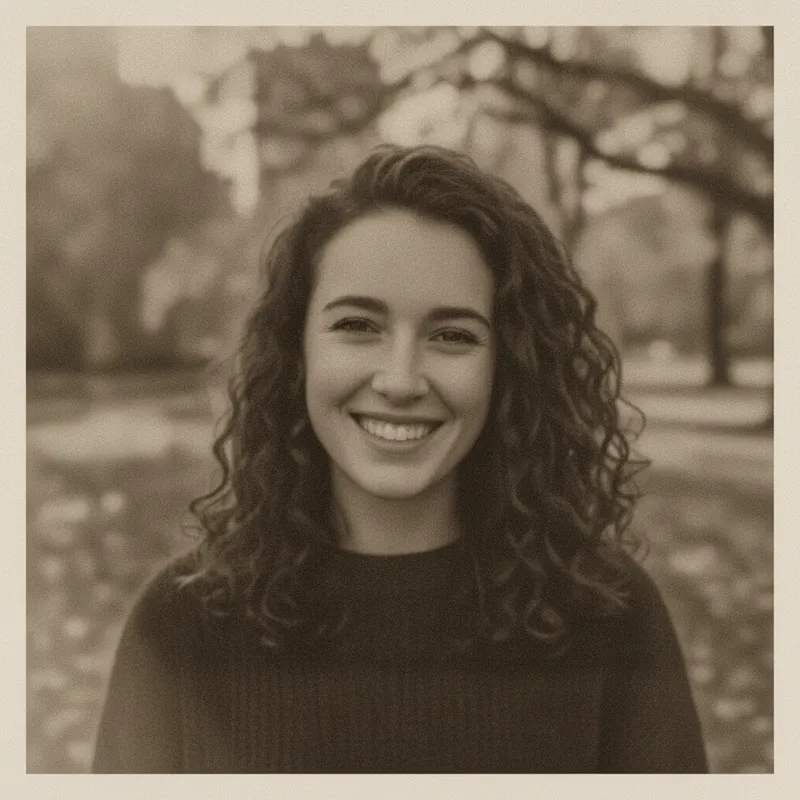
The 4K photo enhancer pageThe same prompt was run once on this site’s editor on 2026-11-19 with a fictional old portrait (see the 4K photo enhancer page). The result is the second image on this page: scratches gone, 1024 × 1024.
Remove scratches and grain before you enlarge
Keep my face, hair and clothes exactly the same. Clean up this soft, scratched old photo: remove the dust, spots and white scratch lines, reduce the grain, sharpen the eyes, curls and sweater texture, and fix the flat faded lighting with gentle contrast. Keep the warm sepia tone. No text, logos or watermarks.
Reduce noise, keep skin texture (not run)
Restore old photosWe did not run this one. It asks for less digital noise and leaves the skin and hair detail alone.
Reduce noise but keep skin texture
Keep my face, hair, clothes and background exactly the same. Reduce the digital noise and colour speckle in the shadows, but keep the natural skin texture and fine hair detail. Do not smooth the skin or change any shapes. No text, logos or watermarks.
Fix the light first (not run)
More edits in the AI photo editorWe did not run this one. It asks for the lighting to change and nothing else.
Fix the light first, enlarge second
Keep my face, hair, clothes and the background exactly the same. Only fix the lighting: lift the shadows a little, soften harsh highlights, add gentle contrast and keep natural colours. No text, logos or watermarks.
Pricing on this site
Credit packs or a monthly plan.
Credits come in one-time packs ($4.99 for 50 credits, $9.99 for 120 credits, $19.99 for 300 credits); each image costs 10 credits. Or pick a plan from $9.90 a month (500 credits), cancel anytime.
Refund policy- Basic · $9.90/month500 credits a month · about 50 images · $0.20 per image
- Pro · $19.90/month1500 credits a month · about 150 images · $0.13 per image
Billed every month and renews automatically. Cancel anytime in Settings; you keep the plan until the end of the month you paid for. Each month's credits are for that month; unused ones expire.
Refund policyPhoto tools on this site
Images only: edits, clean-ups and effects for your own photo, at 1024 × 1024


FAQ
Questions, answered
What is a 16K upscaler?
Software that enlarges an image until its long side is about 15,360 pixels. A standard 16K frame is 15,360 × 8,640, about 132.7 megapixels, sixteen times a 4K UHD frame. The added pixels hold detail the software guesses, not detail the camera recorded.
Does this site upscale a photo to 16K?
No. This site’s editor returns 1024 × 1024 pixels and does not enlarge, and it stayed at that size when we asked for “4K quality”. It can clean up, sharpen and relight a photo; then you can enlarge the result with a tool from the table.
How many pixels is 16K, and is 15360 x 8640 the same thing?
Yes, 15,360 × 8,640 is the usual 16K frame: 132,710,400 pixels, about 132.7 megapixels. Some tools measure 16,384 pixels on the long side instead, and Sogni’s 16K profile caps the longest edge at 15,360 pixels.
Is there a free 16K upscaler, or a way to upscale an image to 16K with AI for free?
Upscayl is free and open source and says “up to 16x”, which is a factor, not 16K. Sogni says it gives free Spark every month without saying how much; Imagera’s 16K upscaler does not mention a free tier. We tested none of them. On this site: Partly: new accounts get 10 free credits after signing in, enough for 1 free image (once per account, valid for 7 days, while the day's new-account gifts last). It is a clean-up, not a 16K upscale.
Does a 16K upscaler add real detail?
Mostly it adds plausible detail. Research on the perception-distortion trade-off says looking natural and staying close to the original pull against each other, and one vendor says detail at 8× and above is largely generated. Another vendor says its 16K profile does no generative repaint. Check faces and text at 100%.
How big can I print a 16K image?
Our arithmetic at 300 pixels per inch: a 15,360 × 8,640 frame prints 51.2 × 28.8 inches, and at 150 pixels per inch about 102 × 58 inches. Photo labs quote 250 to 300 dots per inch as best, so the 300 figure is the careful one.
How big is a 16K file?
Raw, uncompressed 8-bit colour, a 16K frame is about 398 megabytes by our arithmetic (132,710,400 pixels × 3 bytes), and double that at 16-bit. Imagera says a 16K JPEG runs 40 to 65 MB. Several tools cap uploads, for example Imagera at 50 MB and 179 megapixels.
What should I use instead of a 4K, 8K or 16K image upscaler?
Pick the print or screen size first; 4K, 3,840 pixels across, covers most uses. Our 4K photo enhancer page has the print math and a sourced table of tools, and this site’s editor can clean up a soft photo first. Compare any result with the original at 100%.
Want a cleaner photo to enlarge?
Upload one photo, describe the clean-up, and download a 1024 × 1024 result in about 37 seconds.
Clean up a photo hereIndependent site. Not affiliated with or endorsed by Sogni, getimg.ai, Imagera, Topaz Labs, Let’s Enhance or Upscayl; their names are used only to say what their own pages state. This site does not upscale or enlarge photos: its results are 1024 × 1024 pixels. Facts about other tools come from their own pages, read on 2026-11-19, and are not tested by us; prices, limits and availability may change.