Bigjpg alternative: what Bigjpg does, three other upscalers, and what this site can’t do
This site is not a Bigjpg alternative for enlarging pictures, because it cannot upscale and every result is 1024 × 1024, so for 2x to 16x use Bigjpg, Upscayl, waifu2x or Upscale.media, while its photo editor cleans up and sharpens one photo in about 37 seconds for 10 credits. Free with sign-up: 10 credits = 1 image, then from $0.13 per image.
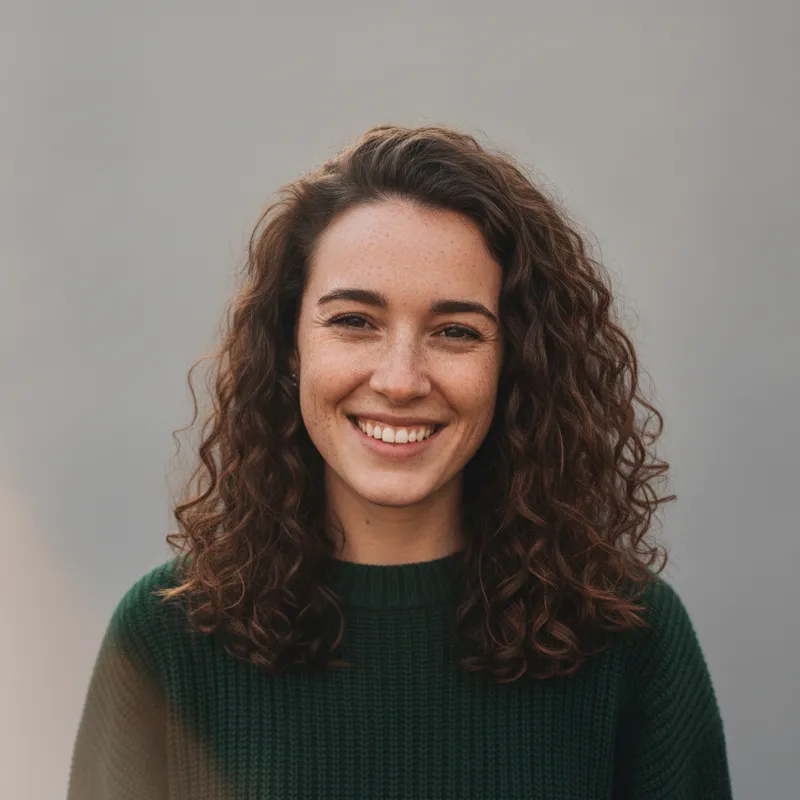
 Your photo
Style changes (cartoon, 3D, anime) are not reliable yet. If the result looks unchanged, try again or describe the change more specifically.
One-tap edits
- Cannot upscale: output is 1024 × 1024
- Not affiliated with Bigjpg
- Free with sign-up: 10 credits = 1 image
- free pictures on Bigjpg, as its page states
- 20 a month
- Bigjpg free maximum ratio; 16x on paid plans
- 4x
- size of every result from this site’s editor
- 1024 × 1024
- largest upload here (JPEG, PNG or WebP)
- 8 MB
What Bigjpg does, and three other upscalers
Bigjpg (its own home page)
- Bigjpg is an AI image enlarger. The page says it “reconstructs lines, colors, and fine details instead of simply stretching pixels” and that it uses deep convolutional neural networks. Its settings offer “Artwork” and “Photo” modes, and a blog link on the page mentions anime art, wallpapers and manga scans.Source: bigjpg.com ·
- Free plan, as listed: 20 pictures per month, slow speed on a shared server, maximum upload 5MB, maximum enlarging ratio 4x, no parallel enlarging and no batch mode.Source: bigjpg.com ·
- Paid plans, as listed in USD: Basic $6 for 2 months (500 pictures a month), Standard $12 for 6 months (1000 a month), Premium $22 for 12 months (2000 a month). All three list uploads up to 50MB, up to 16x, top-priority speed, parallel enlarging and batch mode. The pricing table calls the top plan “Premium”, while the upgrade panel calls the 2000-picture plan “Pro version”.Source: bigjpg.com ·
- Settings list enlarging by 2x, 4x, 8x and 16x (8x and 16x need an upgrade), noise reduction from None to Highest, and output as default, WebP, JPG or PNG. The page links to an API page and a Python batch tutorial, but shows no API price.Source: bigjpg.com ·
- The page names no company or person behind it. It lists a contact email and three sister tools: jpghi.com, jpghd.com and bigmp4.com.Source: bigjpg.com ·
Upscayl, waifu2x and Upscale.media (their own pages)
- Upscayl: its site says “Free and Open Source”, for Linux, macOS and Windows, with AI upscaling “up to 16x”, several models, batch upscaling and a newly announced Upscayl Cloud with no price shown on the page we read. GitHub lists the AGPL-3.0 license, says you need a Vulkan-compatible GPU (many integrated GPUs do not work), and announces v2.15.Source: upscayl.org and GitHub ·
- waifu2x: the README calls it image super-resolution for anime-style art that also supports photos, with 2x enlarging and noise reduction levels 0 to 3, under the MIT license. The code on that page is the legacy Torch7 version, which needs an NVIDIA GPU and CUDA; a 2023/02 notice says development moved to the nunif repository. It lists two web demos, which we did not open.Source: waifu2x on GitHub ·
- Upscale.media: its page offers 2x, 4x or 8x upscaling and says basic use needs no registration. Its table gives a maximum input size per scale: at 4X, 2,500 x 2,500 pixels for a guest and 5,000 x 5,000 logged in; at 8X, 1,250 x 1,250 and 2,500 x 2,500. It lists photos, old pictures, product images, artwork, anime and illustrations, and names Shopsense Retail Technologies Limited with PixelBin branding. The page we read shows no plan prices.Source: upscale.media ·
This site (our own settings, read on 2026-11-19)
- Output size: every result from a square photo in our staging runs was 1024 × 1024, and the editor has no enlarge factor or size option. The upload limit is one JPEG, PNG or WebP up to 8 MB, plus a written request up to 400 characters.Source: This site’s settings ·
- The one-tap “Sharpen and clean up” edit asks the model to gently sharpen the photo, reduce noise and compression artifacts, and recover fine detail in hair, fabric and edges without a plastic look, keeping everything else and the people as they are. That is a generative edit, not a pixel-for-pixel enlarger.Source: This site’s settings ·
Not confirmed
- Who runs Bigjpg, its maximum output size in pixels, and how long it keeps uploaded files: none of that is on the page we read, and its /en/pricing address returned a 404 error.Source: bigjpg.com ·
- Upscayl Cloud’s price, Upscale.media’s plan prices and the waifu2x web demos: not shown on the pages we read, or not opened. We do not guess.Source: upscayl.org, upscale.media ·
- Which of these tools gives the best result: we ran none of them for this page, and the comparison pages that rank for this word are often written by vendors of their own tools. We do not rank quality.Source: Web search (not Google) ·
Side by side
Bigjpg, Upscayl, waifu2x, Upscale.media and this site
| - | Bigjpg | Upscayl | waifu2x | Upscale.media | This site |
|---|---|---|---|---|---|
| Does it enlarge? | Yes: 2x to 16x (8x and 16x paid) | Yes: “up to 16x” | Yes: 2x, plus noise reduction 0 to 3 | Yes: 2x, 4x or 8x | No. Every result is 1024 × 1024 |
| Aimed at (as stated) | Anime art, wallpapers, photos | Images in general | Anime-style art; also photos | Photos, old pictures, products, anime, illustrations | Cleaning up one photo |
| Price (as stated) | Free: 20 a month; paid from $6 for 2 months | Free desktop app; Cloud price not shown | Free, MIT license | No plan prices on the page we read | Free with sign-up: 10 credits = 1 image; then 10 credits per image, from $0.13 on a monthly plan |
| Limits and needs | Free: 5MB upload, 4x, slow shared server | Vulkan-compatible GPU | Legacy code needs an NVIDIA GPU and CUDA | Guest input up to 2,500 x 2,500 at 4X | 8 MB upload; sign-in needed |
| Where it runs | Web page, with apps listed | Desktop app on Linux, macOS, Windows | Your machine; web demos are listed | Web page | Web page |
| License | Not stated | AGPL-3.0 (GitHub) | MIT | Not stated | Hosted service; see the site terms |
When to use which
Which tool for which job
You need a bigger picture: use an upscaler
For 2x, 4x or 8x enlarging, pick Bigjpg or Upscale.media in the browser, or Upscayl or waifu2x on your own machine. This site cannot do it.
You need the same size but cleaner: use the editor here
Upload one photo and tap “Sharpen and clean up”, or write your own request (up to 400 characters). It takes about 37 seconds and 10 credits.
Check the size before you upload
The result comes back at 1024 × 1024. If your photo is larger than that, cleaning it here makes it smaller, so keep your original file.
Want both a cleaner and a bigger picture?
You can run the 1024 × 1024 result through an upscaler afterwards. We have not tested that chain, so check the look yourself.
Prompts
Clean-up prompts for this site’s editor (no enlarging)
These prompts are for this site’s photo editor and clean up one picture at 1024 × 1024; none enlarges it. We did not run them for this page, so results may vary. You can also type your own request in the editor, up to 400 characters.
Soft or noisy photo
Another take on sharper photos: 4K photo enhancerNot run for this page. It is the same idea as the one-tap “Sharpen and clean up” edit; the result comes back at 1024 × 1024.
Clean up a soft or noisy photo
Keep my face, hair, clothes and the whole composition exactly the same. Gently sharpen the photo, reduce noise and compression artifacts, and recover fine detail in hair and fabric without a plastic or over-smoothed look. No text, logos or watermarks.
Illustration or artwork
The same question at a bigger size: 16K upscalerNot run. This is a generative editor, so it may redraw small details instead of keeping every line; we have not checked how well it holds fine line art.
Clean up an illustration
Keep this illustration exactly as it is: same drawing, colours, style and composition. Gently smooth jagged edges and compression noise and sharpen the thin outlines, without redrawing anything or adding anything. No text, logos or watermarks.
Low-light phone photo
Another “smart” route: smart upscalerNot run. Grain from low light is noise, not missing resolution, so cleaning it is a different job from enlarging.
Low-light phone photo
Keep the people, pose and framing exactly the same. Reduce the grain and colour noise from low light, even out the exposure so shadows are not muddy, and keep natural skin tones. No text, logos or watermarks.
Over-compressed JPEG
Compare another brand: Picsart image upscaler alternativeNot run. Blocky artifacts are what the clean-up edit is meant for; it still cannot make the picture bigger.
Blocky, over-compressed JPEG
Keep everything exactly the same. Remove the blocky compression artifacts and halos around edges from this over-compressed image, smooth flat areas, and keep edges crisp without changing any colours. No text, logos or watermarks.
Pricing on this site
Credit packs or a monthly plan.
Credits come in one-time packs ($4.99 for 50 credits, $9.99 for 120 credits, $19.99 for 300 credits); each image costs 10 credits. Or pick a plan from $9.90 a month (500 credits), cancel anytime.
Refund policy- Basic · $9.90/month500 credits a month · about 50 images · $0.20 per image
- Pro · $19.90/month1500 credits a month · about 150 images · $0.13 per image
Billed every month and renews automatically. Cancel anytime in Settings; you keep the plan until the end of the month you paid for. Each month's credits are for that month; unused ones expire.
Refund policyPhoto tools on this site
Images only: edits, restyles and effects for your own photo

FAQ
Questions, answered
What is Bigjpg?
Bigjpg is a web AI image enlarger. Its page says it rebuilds lines, colours and fine details instead of stretching pixels, with Artwork and Photo modes and 2x to 16x enlarging. It names no company or person behind it.
Is Bigjpg free?
In part. As its page lists, the free plan gives 20 pictures a month with a 5MB upload limit, a 4x maximum and a slow shared server. Paid plans listed are $6 for 2 months, $12 for 6 months and $22 for 12 months, with 50MB uploads and up to 16x.
Is this site a Bigjpg alternative? Can it upscale?
Not for enlarging. This site cannot upscale: every result is 1024 × 1024 and there is no enlarge option. It can clean up one photo, sharpening and reducing noise at the same size. For bigger files, use an upscaler such as Bigjpg, Upscayl, waifu2x or Upscale.media.
What is a free Bigjpg alternative?
Upscayl says it is free and open source for Linux, macOS and Windows, and waifu2x is MIT-licensed; both run on your own computer and need a suitable GPU. Upscale.media says basic use needs no registration, but its page shows no plan prices. We did not compare their quality.
Which is better for anime art, Bigjpg or Upscayl or waifu2x?
Bigjpg and waifu2x both describe anime-style art as a target, and Upscayl says it upscales images in general. We ran none of them for this page, so we cannot say which looks best. Try one picture in each.
What does “Sharpen and clean up” do here?
It asks the model to gently sharpen the photo, reduce noise and compression artifacts, and recover fine detail in hair, fabric and edges, keeping everything else as it is. It is a generative edit, so check small details, and the result is not larger than before.
Can I upscale to 4K here?
No. The result is 1024 × 1024. For a 4K or larger file, use an upscaler such as the ones above; our pages on a 4K photo enhancer and a 16K upscaler explain the same limit.
Can I try something here for free?
Partly: new accounts get 10 free credits after signing in, enough for 1 free image (once per account, valid for 7 days, while the day's new-account gifts last). Each image costs 10 credits, from $0.13 per image on a monthly plan.
Need one photo cleaned up?
Upload it, tap “Sharpen and clean up” or write the change, and download the result in about 37 seconds.
Clean up a photo hereIndependent site. Not affiliated with Bigjpg, Upscayl, waifu2x, Upscale.media, PixelBin or any other tool named here, and this site does not enlarge images. Facts about those tools come from their own pages, read on 2026-11-19; prices, limits and availability may change.