OpusClip and free clipping AI: free-plan limits, tool by tool
OpusClip and free clipping AI tools mostly give a free plan with limits such as a watermark, 720p exports, about 1 hour a month and files kept 3 to 7 days, but this site cannot clip video and only turns one photo into a 5-second clip for 15 credits (about $0.13 to $1.50), paid credits only.
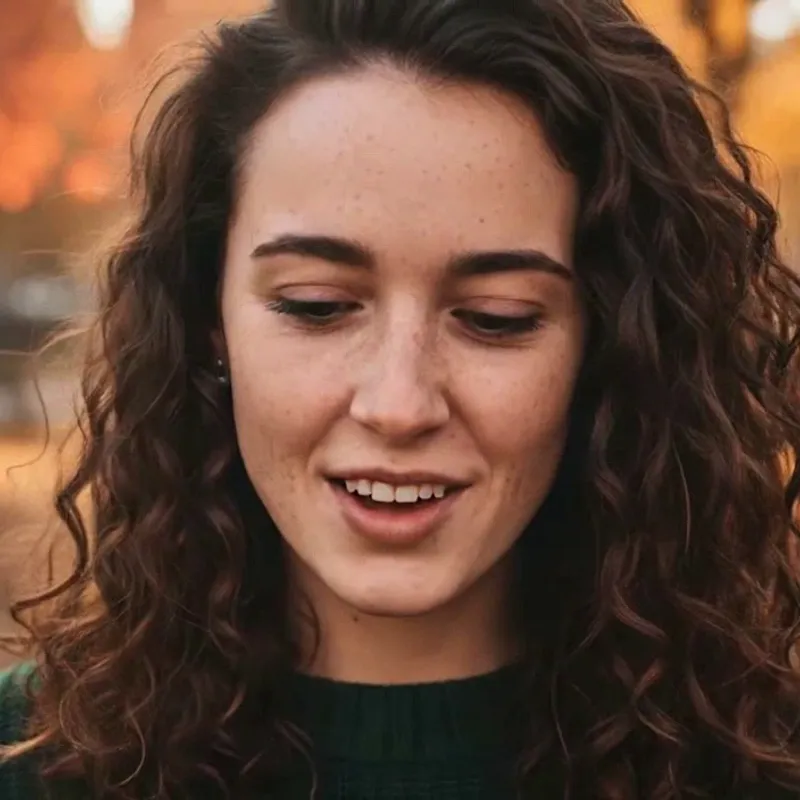 0:05
Style
15 credits for a 5-second clip
- Cannot cut or clip long video here
- One photo in, one 5-second clip out: 15 credits, paid only
- Free with sign-up: 10 credits = 1 image (photo editor only, not video)
- tools read list a free plan (OpusClip, Choppity, Vizard, Reap); Klap has a 1-video trial only
- 4 of 5
- free export on Vizard and Reap; OpusClip says up to 1080p, Choppity does not say
- 720p
- how long free projects or exports last: 3 days on OpusClip, Choppity and Vizard, 7 on Reap
- 3 to 7 days
- per 5-second photo clip here, about $0.13 to $1.50, paid credits only
- 15 credits
OpusClip free plan: what its pricing page says on Nov 20, 2026
OpusClip’s pricing page, read on 2026-11-20, lists Free $0, Starter $15 a month, Pro $29 a month and a custom Business plan. The free plan adds a watermark to animated caption templates and does not include watermark-free export. Clips render up to 1080p. MP4 exports are limited to 3 days and media storage expires after 3 days. You can upload a local file of up to 10 GB per video, and YouTube is the only link source on Free; Starter adds Google Drive, Vimeo, Zoom and more, and Pro adds public MP4 links and social platforms. What the page does not show: the monthly credit allowance and any yearly price. A third-party guide (Castmagic, which says it checked on 2026-08-20) puts the free allowance at 60 processing minutes a month, Starter at 150 and Pro at 300, and others disagree about whether the 60 repeats every month. We could not settle that, so treat the credit numbers as unconfirmed.
- Free: watermark on caption templates, up to 1080p, 3-day exports
- Starter $15 and Pro $29 a month; Business custom
- Credits per month: not on the page (third parties: 60 / 150 / 300 minutes)
0:05Free clipping AI side by side: what the other four say
Choppity’s free plan gives 1 hour of AI analysis a month and 2 GB, and project storage lasts 3 days; its price page does not mention a watermark and leaves the free export row blank, while a help article says free exports carry a Choppity mark. Vizard’s free plan gives 60 credits a month, uploads up to 60 minutes and 1 GB, exports at 720p up to 10 minutes, does not include watermark removal and stores files 3 days. Klap has no free plan: one video can be processed, previewed and edited, but downloading and posting need a paid plan. Reap’s free plan gives 1 hour of clipping and 1 hour of captions a month, exports 720p with a watermark, keeps projects 7 days and accepts uploads up to 5 GB. Ssemble and Submagic appear in the table only as claims from a third-party blog (Ssemble’s own). Check each page the day you sign up: the pages carry no dates.
- Choppity: 1 h a month, 2 GB; watermark: pages disagree
- Vizard: 60 credits, 720p, 10-minute exports, watermark not removed
- Reap: 1 h clipping + 1 h captions, 720p, watermarked, 7 days
 0:05
Price per hour or per clip: our arithmetic, not a test
Paid plans count different things, so the prices do not line up. Dividing the listed prices by what each plan counts: Klap Basic is $29 for 100 clips, which is $0.29 a clip, or $0.145 on yearly billing; Choppity Starter is $24 for 3 hours of AI analysis, which is $8.00 an hour, or $5.60 yearly ($16.80 a month); Reap Creator is $24 or $9.99 a month (the page shows both and does not say which is monthly billing) for 10 hours of clipping, which is $2.40 or about $1.00 an hour, with captions as a separate 10 hours. OpusClip and Vizard cannot be divided from their own pages: OpusClip shows no credits and Vizard shows no dollar prices. A clip, an hour of source and a credit are different units, and we tested none of the tools, so this is a way to read the lists, not a ranking.
- Klap Basic: $0.29 a clip ($0.145 yearly)
- Choppity Starter: $8.00 an hour ($5.60 yearly)
- Reap Creator: $2.40 or about $1.00 an hour of clipping
0:05What changed since our earlier clipping pages
Our free clipping AI page (read on 2026-11-18) and our Clipship page (2026-11-19) covered OpusClip, Vizard, Klap, Submagic, Clipton and Clipship. The numbers for OpusClip, Vizard and Klap are the same today. What is new here: Choppity and Reap, which that page did not cover; Klap’s two higher plans and its 3-hour source limit; Vizard’s paid credit range and 4K export; OpusClip’s link-import limit on the free plan; and the third-party credit counts for OpusClip. Submagic and Clipton were not re-read today, and Submagic appears only as a third-party claim.
- Same as Nov 18: OpusClip, Vizard and Klap numbers
- New: Choppity, Reap, Klap Pro and Pro+, Vizard paid credits
- Not re-read today: Submagic, Clipton, Clipship
0:05Why people are searching: background we could not tie to a cause
One recent item: X announced a built-in tool for clipping videos on 2026-11-09, and Tubefilter reported on 2026-11-13 that both the original creator and the clipper can earn from views on a clip through X’s Original Content Rewards, with the split not disclosed. We found no evidence that this raised searches for OpusClip or free clipping AI, and no evidence that OpusClip or Vizard changed or removed a free plan. Clip-reward marketplaces and clipper jobs are a longer-running background, from vendors’ own marketing. So we do not claim a cause; we only list what was published.
- X clipping tool: announced 2026-11-09, reported 2026-11-13
- No evidence of a free plan being cut
- No cause established for the rise in searches
0:05What this site does instead: one photo, one 5-second clip
This site is not a clipper. It cannot take a podcast, a stream or a meeting recording and cut it into clips, add captions, track a face or reframe to 9:16. What its video tool does is narrower. You upload one photo (JPEG, PNG or WebP, up to 8 MB), pick one of 3 motion styles and get one silent MP4 clip, 5 seconds long at 720p, for 15 credits. For video only credits that came from money, a pack or a plan, pay for a clip; the sign-up gift of 10 credits works for photo edits, not video. By our arithmetic one clip costs $1.50 on the smallest pack ($4.99 for 50 credits), $1.25 on the medium pack, $1.00 on the large pack, $0.30 on the monthly Basic plan, $0.20 on the monthly Pro plan, and $0.13 to $0.20 on the yearly plans if you use every credit each month. Failed or timed-out clips are refunded, and each person can start at most 20 clips a day. A use that fits: a still of a speaker or host turned into a short moving intro or thumbnail loop for a clip you cut elsewhere.
- Image to video only: no video in, no text-to-video
- Fixed length and size; no sound, captions or speech
- Paid credits only for video; failed clips refunded
0:05What we measured here: two real clips on 2026-11-19
We made two clips on this site’s video tool with its own fictional, AI-generated photos. The portrait with “Bring it to life” took 53 seconds from pressing the button to a finished clip, and in the frames we checked she smiles, her eyes move and her face and curly hair stay recognisable. The beagle with “Slow camera push-in” took 34 seconds, and the camera does push in, but from about the third second the model added a person nobody asked for. Both files are 1248 × 704 pixels, 5.04 seconds, H.264, with no audio, and we saw no visible watermark. Ten such clips would be 150 credits, about $14.97 on the smallest pack and $1.30 at the cheapest rate. Two runs are not a test of every photo, so watch each clip before you use it. We did not run any of the clipping tools above.
- Portrait: face kept; smile, eye movement, a head turn
- Beagle: camera push-in worked, then a person was added
- n = 2: a finding, not a failure rate
0:05What this site can and cannot do next to a clipper
It can
- Turn one photo into one 5-second, 720p silent MP4 clip
- Add gentle motion, a slow camera push-in or a breeze to that photo
- Edit a still photo in the editor (background, light, style)
- Refund a failed or timed-out clip automatically
It cannot
- Take a podcast, stream, meeting or any long video and cut clips from it
- Add captions, track a face or reframe to 9:16
- Import a YouTube or other video link
- Use free credits for video: the sign-up gift does not pay for it
- Add sound, speech, music or a talking avatar
- Promise that the model adds nothing you did not ask for
Compare
Free clipping AI limits, one row per tool
| Tool | Free plan | Watermark | Quality | Minutes, uploads, storage | Paid price listed |
|---|---|---|---|---|---|
| OpusClip (official) | $0; monthly credits not on the page (third party: 60 minutes) | On animated caption templates; watermark-free export not included | Up to 1080p | MP4 export limit 3 days; storage 3 days; local upload 10 GB; YouTube links only | Starter $15, Pro $29 a month; Business custom; no yearly price shown |
| Choppity (official) | $0: 1 hour of AI analysis a month, 2 GB | Price page silent; help article says free exports carry a mark | Free export row blank; paid 1080p and 4K | Project storage 3 days (Starter 30 days, Creator forever) | Starter $24 ($16.80 yearly), Creator $32, Team $48 a month; Enterprise custom |
| Vizard (official) | $0: 60 credits a month | Watermark removal not included | Upload 1080p, export 720p; paid 4K | Upload up to 60 min and 1 GB; export up to 10 min; storage 3 days | Creator and Business: 600 to 6,200 credits a month; dollar prices not confirmed |
| Klap (official) | No free plan: 1 video to preview and edit, no card | None on paid exports; trial not stated | Not stated | Download and posting need a paid plan; source up to 3 hours; counted in clips | Basic $29 (100 clips), Pro $79 (300), Pro+ $189 (1,000) a month; half price yearly |
| Reap (official) | $0: 1 hour of clipping and 1 hour of captions a month | Yes on the free plan | 720p; paid 1080p (Creator) and 4K (Studio) | Projects expire after 7 days; upload up to 5 GB | Creator $9.99 yearly-billed or $24; Studio $29 or $50 a month; page does not label which |
| Ssemble (third-party claim) | Free minutes not stated | Its own blog says none, free or paid | Not stated | Pro: 60 videos a month | From $7.50 a month; Pro $15 a month on annual billing |
| Submagic (third-party claim) | Not stated | Removed on paid plans only | Not stated | AI clipping is an add-on | From $12 a month; AI clipping +$19 a month |
| This site (photo to clip only) | None for video; the sign-up gift pays for photo edits only | None seen in our two clips | 5-second 720p clip, 1248 × 704 measured | One photo (up to 8 MB) per clip; no video upload | 15 credits a clip, about $0.13 to $1.50 |
Step by step
Pick the right tool, then what to do here
A long recording you want cut into short vertical clips needs a clipper such as OpusClip, Choppity, Vizard, Klap or Reap. One photo you want to move needs this site. A thumbnail or cover needs a photo edit.
Read the watermark line, the export quality, the minutes or credits per month and how many days files are kept. These pages carry no dates and our notes show they disagree with third-party guides, so check them the day you sign up.
Sign in and get a pack or a plan: a clip is 15 credits and only credits that came from money pay for it. Upload one clear photo you have the right to use, pick Bring it to life, Slow camera push-in or Hair and clothes in a breeze, and leave the tab open: our two runs took 34 and 53 seconds.
Check that nothing was added that you did not ask for, as happened with our beagle. Failed or timed-out clips are refunded automatically; a clip you simply dislike is not, so you can run another style.
OpusClip and free clipping AI: what each page says, read Nov 20, 2026
OpusClip, as its pricing page states it
- Free $0, Starter $15 a month, Pro $29 a month, Business custom; no yearly price shown. Free: watermark on animated caption templates, watermark-free export not included, up to 1080p, MP4 export limit 3 days, media storage expires after 3 days, local upload up to 10 GB per video, YouTube the only link source. Starter row: export limit 30 days but media storage expires after 29 days (the page does not explain). Pro: up to 30 GB per video, 100 GB storage. Credits per month: not on the page.Source: opus.pro pricing (vendor’s own claims) ·
OpusClip credits and prices, third-party claims
- Free: 60 processing minutes a month, watermark on caption templates; Starter $15 a month with 150 minutes; Pro $29 a month with 300 minutes, 3,600 a year on annual billing. The guide says it verified the figures on 2026-08-20 and that Starter’s annual rate appears only in checkout.Source: Castmagic (a third-party guide) ·
- Other third-party pages summarised in our research disagree: one says the 60 credits come once and do not renew, and a price tracker says Pro’s yearly price rose from $14.50 to $19.43 a month in October 2026 while another page still shows $14.50. We did not open those pages and the official page shows neither, so neither is confirmed.Source: Search summaries and research notes, not opened ·
Choppity, as its pricing page and help article state it
- Free $0: 1 hour of AI analysis a month, 2 GB cloud storage, project storage 3 days, export resolution left blank. Starter $24 a month ($16.80 a month on yearly billing, $201.60 a year): 3 hours, 40 GB, 30 days, 1080p and 4K. Creator $32 ($22.40 yearly): 5 hours, 100 GB, kept forever. Team $48 ($33.60 yearly): 5 hours, 200 GB. Enterprise custom. The page says nothing about watermarks, and its FAQ gives Team figures that differ from its table.Source: choppity.com pricing (vendor’s own claims) ·
- Free-plan downloaded and scheduled videos include a Choppity mark; paid plans export without it. The article carries no date, only “last updated 6 months ago”. It conflicts with the price page’s blank free-export row, and we cannot say which is current.Source: Choppity help article ·
Vizard, as its pricing page states it
- Free: 60 credits a month, watermark removal not included, upload up to 60 minutes and 1 GB at 1080p, export at 720p, export length up to 10 minutes, storage expires after 3 days. Creator and Business: 600 to 6,200 credits a month (7,200 to 74,400 a year), watermark removal included, upload up to 10 hours and 30 GB at 4K, 4K export of any length, 100 GB storage or as long as you subscribe. The dollar prices for Creator and Business did not show as readable numbers in the page text, so we do not quote them.Source: vizard.ai pricing (vendor’s own claims) ·
Klap, as its pricing page states it
- No free plan: one video free to preview and edit, no card; downloading and posting need a paid plan. Basic $29 a month ($14.50 a month yearly, $174 a year), 100 clips a month; Pro $79 ($39.50 yearly, $474 a year), 300 clips; Pro+ $189 ($94.50 yearly, $1,134 a year), 1,000 clips. Paid exports have no Klap branding; the page does not say whether the trial carries a watermark or what export resolution you get. Source videos up to 3 hours, and the source length does not count against the plan.Source: klap.app pricing (vendor’s own claims) ·
Reap, as its pricing page states it
- Free (“free forever”): 1 hour of clipping and 1 hour of captions a month, 720p, watermarked, projects expire after 7 days, uploads up to 5 GB, regular processing speed. Creator: 10 hours each, 1080p, watermark-free; the page shows $24 and $9.99 a month and $119.88 billed yearly. Studio: 20 hours each, 4K, watermark-free; $50 and $29 a month and $348 billed yearly. The page does not label which monthly figure is monthly billing; the yearly totals divide to the lower ones.Source: reap.video pricing (vendor’s own claims) ·
Ssemble and Submagic, third-party claims only
- Ssemble’s own blog (dated 2026-03-20, written by its founder, who calls it “our product”) says Ssemble starts at $7.50 a month, Pro is $15 a month on annual billing with 60 videos a month, and it exports without a watermark on free and paid plans. It says Submagic starts at $12 a month, removes the watermark only on paid plans and charges $19 a month more for AI clipping. The post is a competitor’s comparison and we did not test either tool.Source: Ssemble blog (a competitor’s own post) ·
Background: X’s clipping tool
- X announced a clipping tool on 2026-11-09; a report dated 2026-11-13 says both the creator and the clipper can earn through Original Content Rewards, with the split not disclosed. No link to the rise in searches was found.Source: Tubefilter, James Hale (a news report) ·
Made and measured on this site, 2026-11-19
- Two clips on this site’s video tool with paid credits: portrait with “Bring it to life”, 53 seconds; beagle with “Slow camera push-in”, 34 seconds; both 1248 × 704, 5.04 s, H.264, no audio, no visible watermark. In the beagle clip a person enters from the right from about the third second. n = 2. Prices on this page come from this site’s own settings.Source: This site, first-hand ·
- The earlier side-by-side of OpusClip, Vizard, Klap, Submagic and Clipton free plans, read 2026-11-18, and a photo option.Source: Free clipping AI ·
- The plain explainer: what clipping AI is, how the tools work in five steps, and seven checks before you pick one.Source: Clipping AI ·
- A desktop clipper that runs on your own computer, how it compares with OpusClip, and what this site does instead.Source: Clipship alternative ·
- What “no restrictions” means for video tools, and the full limits of this site’s clip tool.Source: Free AI video generator, no restrictions ·
- The photo editor: one photo in, one 1024 × 1024 image out, for example a cleaner thumbnail or portrait.Source: AI photo editor ·
- The rules for photos and results on this site, in full.Source: Acceptable-use policy ·
Not confirmed
- OpusClip’s monthly free credits and its yearly prices on its own page, and which third-party credit and price figures are right. Vizard’s Creator and Business dollar prices. Whether Choppity’s free plan exports at all, and in what quality. Klap’s trial watermark and export resolution. Which Reap price is monthly billing. Ssemble’s free minutes. None of the tools was run by us, so nothing here says how good any tool’s clips are.Source: The pricing pages above ·
- The pages not opened by us from the picking conversation’s top five: for “opus clip”, youtube.com, reddit.com and instagram.com; for “free clipping ai”, heygen.com, vmaker.com, wayin.ai and adobe.com. We quote nothing from them. Our web search is not Google and shows no real result order.Source: Search listing, 2026-11-20 ·
Other pages on this site
Clipper comparisons, the photo clip tool and photo edits

FAQ
Questions, answered
Is OpusClip free, and what does the OpusClip free plan include?
Its pricing page, read on 2026-11-20, lists a $0 Free plan with a watermark on animated caption templates, no watermark-free export, rendering up to 1080p, MP4 exports limited to 3 days and media storage that expires after 3 days. The monthly credits are not on that page; a third-party guide says 60 processing minutes a month, and others disagree about whether they renew, so we treat that as unconfirmed.
What does OpusClip pricing look like (opus clip pricing, opusclip free plan upgrade)?
The official page lists Starter at $15 a month, Pro at $29 a month and a custom Business plan, with no yearly price shown. A third-party guide lists 150 minutes a month on Starter and 300 on Pro. Third-party pages disagree about Pro’s yearly rate, so check the live page and checkout before you pay.
Which free clipping AI has no watermark?
None of the five official pages we read promises a watermark-free free plan. OpusClip, Vizard and Reap say the free plan is watermarked or does not remove it; Choppity’s price page is silent and its help article says free exports carry a mark; Klap has no free plan, and its trial watermark is not stated. Ssemble’s own blog says it has none, which is a claim we did not test.
What is the best free AI clipping tool?
We do not rank them: we read pricing pages and ran none of the tools, so we cannot say which clips best. On the numbers alone, Choppity and Reap give about 1 hour a month of free processing, Vizard 60 credits, OpusClip an unstated number on its page, and Klap only a one-video trial. Match the limit that matters to you, such as watermark or quality, against the table.
Is there a free AI clipping tool with 1080p exports?
OpusClip’s pricing page says the free plan renders up to 1080p, with a watermark on animated caption templates. Vizard and Reap list 720p exports on their free plans. Choppity’s price page leaves the free export quality blank, and Klap does not state export quality. Quality limits can change, so read the page the day you sign up.
Can this site clip a long video for free?
No. This site cannot cut a long video into clips, add captions, track a face or reframe to 9:16. It turns one photo into one silent 5-second 720p clip for 15 credits (about $0.13 to $1.50), paid credits only. About the sign-up gift: Partly: new accounts get 10 free credits after signing in, enough for 1 free image (once per account, valid for 7 days, while the day's new-account gifts last). That gift works for photo edits, not video. Failed or timed-out clips are refunded automatically.
Did X launch a clipping tool, and is that why free clipping AI is searched?
X announced a built-in tool for clipping videos on 2026-11-09, and a news report dated 2026-11-13 says both the original creator and the clipper can earn from views on a clip. We found no evidence that this raised searches for OpusClip or free clipping AI, so we do not claim it did.
Why did a person appear in my photo clip?
The model sometimes adds things that were not in your photo. In our beagle clip a hand and a smiling face entered from the right from about the third second, although nothing asked for a person. We saw it once in two runs and cannot give a rate, so watch every clip before you use it.
Want one photo to move?
Upload one photo, pick a motion style and get a 5-second clip for 15 credits. For long videos, use a clipper.
Make a clip hereIndependent site. Not affiliated with or endorsed by OpusClip, Choppity, Vizard, Klap, Reap, Ssemble, Submagic, X, ByteDance, kie.ai or any other tool named here, and this site is not any of them. Names are used only to say what their pages state. Facts about other tools come from their own pages and third-party pages, read on 2026-11-20, and were not tested by us; prices and limits may change. Clip examples are made from this site’s own fictional, AI-generated photos.