Clipping AI: what it is, how it works, and what to check before you pick a tool
Clipping AI is software that takes a long recording, finds the moments worth keeping and cuts them into short clips, usually with captions and a vertical crop; this site is not one and cannot clip video, but it turns one photo into a 5-second silent 720p clip for 15 credits (about $0.13 to $1.50), paid credits only.
 0:05
Style
15 credits for a 5-second clip
- Cannot cut or clip long video here
- One photo in, one 5-second clip out: 15 credits, paid only
- Free with sign-up: 10 credits = 1 image (photo editor only, not video)
- clips per long video, as Choppity and Vizard headline it (vendor claims, not tests)
- 30+
- output shapes the pages name: vertical 9:16, square 1:1 and landscape 16:9
- 3
- per 5-second photo clip here, about $0.13 to $1.50, paid credits only
- 15 credits
What is clipping AI? One phrase, two meanings
Most of the time, clipping AI means a tool that works on a long video, such as a podcast, a webinar, a stream or a lecture, and returns short clips ready for TikTok, Reels or Shorts. The blog we read describes these tools as software that uses machine learning to detect highlights in long-form content. The phrase has a second, unrelated meaning: cutting a subject out of a photo (a clipping path, or background removal). Our own search for the phrase on 2026-11-20 returned both kinds, from video clippers to a photo-cutout app. This page is about the video meaning. The cutout meaning is a photo job, and this site’s editor edits a photo’s background and light but does not promise a cutout.
- Video meaning: long recording in, short clips out
- Photo meaning: a subject cut out of a picture
- Not the same as a video editor you cut by hand
0:05How does AI clipping work? Five steps in the pages we read
The pages describe the same chain with different names. One: you upload a file or paste a link. Two: the tool transcribes the speech. Choppity says it transcribes the video and looks for jokes, insights, reactions and hooks; HeyGen says it maps the content. Three: it proposes clip candidates; HeyGen says each is trimmed to a complete, standalone moment, and OpusClip says you can use a natural-language prompt to clip a specific moment. Four: it reframes the picture; OpusClip says its tracking keeps moving subjects centred and Choppity says it follows the active speaker. Five: it adds captions you can restyle, and often lets you edit the cut by editing the transcript, which Choppity and Vizard both describe. We could not see inside any tool, so this is what the vendors say, not what we measured.
- Upload or link, then transcript
- Moments proposed, cut, reframed to vertical or square
- Captions added; trim by editing the text
 0:05
What goes in and what comes out
Inputs differ a little. HeyGen’s help article says uploads can be MP4, MOV or WEBM up to 10 GB, YouTube links are supported, and videos from 1 minute to 10 hours are processed, with a note that a video of about a minute may not have enough footage for a good highlight. Choppity’s FAQ lists MP4, MOV and AVI “and more” and gives no length or size limit. OpusClip says you can upload a file or drop a link, naming YouTube, Google Drive, Vimeo, Zoom and Twitch for Pro. Vizard’s home page lists no formats or limits. Output is mostly the same everywhere: MP4 clips in vertical 9:16, square 1:1 or landscape 16:9, with captions. The size limits belong to each plan, so they change; use the pricing pages, covered on our other clipping pages, for the numbers.
- HeyGen help: MP4, MOV, WEBM, up to 10 GB, 1 minute to 10 hours
- Choppity: MP4, MOV, AVI and more; no limit shown
- Output: 9:16, 1:1 or 16:9 clips with captions
0:05What a clip score means, and what we could not check
Some tools grade each clip. HeyGen’s help article shows a Score tab with an overall grade (its example is 73, B+, “Moderate”) and a breakdown into Hook, Flow, Value and Trend, and suggests using it to decide which clips to post first. The blog we read says virality scores exist in OpusClip and Klap. Opus’s home page, as we read it, does not mention a score. None of the pages we read says how a score was built or checked against real views, so read it as the tool’s own opinion of a clip, a way to sort a long list, not a forecast. The vendors’ own result claims are also theirs: Opus quotes user-reported lifts in views, and we cannot verify them.
- HeyGen: grade plus Hook, Flow, Value, Trend
- Scores are each tool’s own model
- No page we read says how scores were validated
0:05What to check before you pick a clipping AI tool
Seven things, all findable on the tool’s own pages before you upload anything. One: what it takes in, file types, a link, the longest video. Two: how it picks moments, and whether you can steer it with text; OpusClip and HeyGen both describe a prompt or instructions box. Three: what it exports, ratios and caption editing. Four: languages for speech and for captions; OpusClip lists English, German, Spanish, French, Portuguese and about 20 more, Vizard says captions can be translated into over 100 languages, and Choppity’s home page states no language list. Five: how much manual control you get, since the blog we read says fast-cut, cinematic or comedic material often needs hand work. Six: what the unit of the plan is, minutes, clips or credits, because they cannot be compared directly. Seven: the free plan’s watermark and storage, which our free-plan pages cover.
- Input, how moments are picked, export shapes
- Languages, manual control, what the plan counts
- Free-plan limits: see our two comparison pages
0:05Common traps in the numbers and the claims
The vendors’ own pages disagree with themselves in small ways. Choppity’s headline says 30+ clips and its FAQ says 20 to 50+ depending on length and content, and it adds that the count is not guaranteed. OpusClip’s visible FAQ says caption accuracy is over 99% while the data in the same page says 97%. Vizard says 30+ clips “in one click”, which is a ceiling on one upload, not a quality promise. The blog we read lists one tool twice with two starting prices, $23 and $24 a month, and says nothing about testing the tools. None of the five pages shows a date, so a price or limit you read may be old. Treat every number as a claim: write down the page and day, and rerun the maths on the day you pay.
- Choppity: 30+ in the title, 20 to 50+ in the FAQ
- OpusClip: 99% in the FAQ, 97% in the page data
- No date on any of the five pages
0:05What this site does instead: one photo, one 5-second clip
This site is not a clipper. It cannot take a podcast, a stream or a meeting recording and cut it into clips, add captions, track a face or reframe to 9:16. What its video tool does is narrower. You upload one photo (JPEG, PNG or WebP, up to 8 MB), pick one of 3 motion styles and get one silent MP4 clip, 5 seconds long at 720p, for 15 credits. Only credits that came from money, a pack or a plan, pay for a clip; the sign-up gift of 10 credits works for photo edits, not video. By our arithmetic one clip costs $1.50 on the smallest pack ($4.99 for 50 credits), $1.25 on the medium pack, $1.00 on the large pack, $0.30 on the monthly Basic plan, $0.20 on the monthly Pro plan, and $0.13 to $0.20 on the yearly plans if you use every credit each month. Failed or timed-out clips are refunded, and each person can start at most 20 clips a day. A use that fits: a still of a speaker or host turned into a short moving intro or thumbnail loop for a clip you cut in a clipping tool.
- Image to video only: no video in, no text-to-video
- Fixed length and size; no sound, captions or speech
- Paid credits only for video; failed clips refunded
0:05What we measured here: two real clips on 2026-11-19
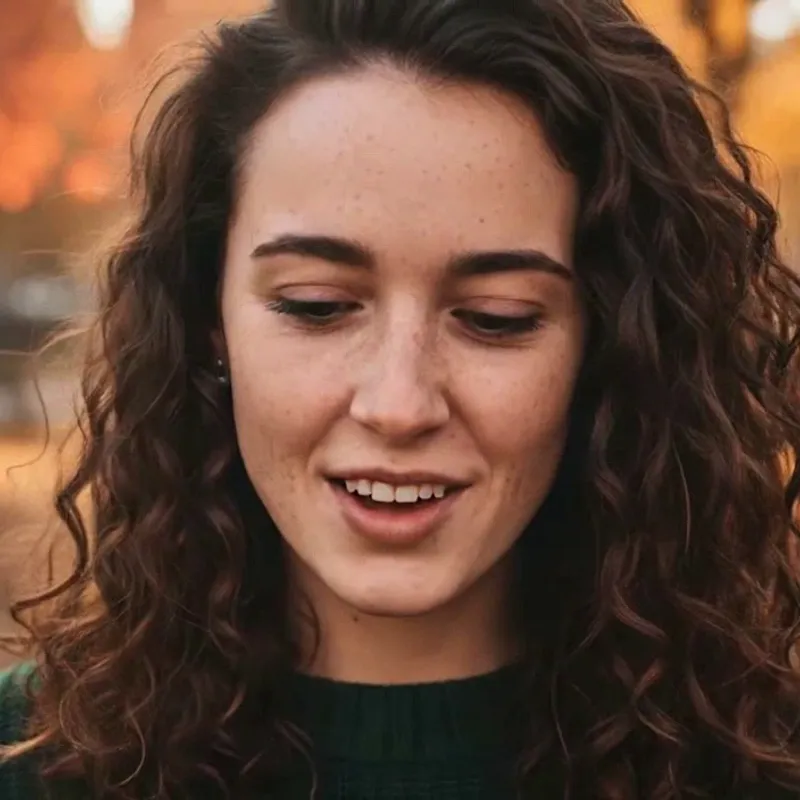
We made two clips on this site’s video tool with its own fictional, AI-generated photos. The portrait with “Bring it to life” took 53 seconds from pressing the button to a finished clip, and in the frames we checked she smiles, her eyes move and her face and curly hair stay recognisable. The beagle with “Slow camera push-in” took 34 seconds, and the camera does push in, but from about the third second the model added a person nobody asked for. Both files are 1248 × 704 pixels, 5.04 seconds, H.264, with no audio, and we saw no visible watermark. Ten such clips would be 150 credits, about $14.97 on the smallest pack and $1.30 at the cheapest rate. Two runs are not a test of every photo, so watch each clip before you use it. We did not run any of the clipping tools above.
- Portrait: face kept; smile, eye movement, a head turn
- Beagle: camera push-in worked, then a person was added
- n = 2: a finding, not a failure rate
0:05What this site can and cannot do next to a clipping AI tool
It can
- Turn one photo into one 5-second, 720p silent MP4 clip
- Add gentle motion, a slow camera push-in or a breeze to that photo
- Edit a still photo in the editor (background, light, style)
- Refund a failed or timed-out clip automatically
It cannot
- Take a podcast, stream, meeting or any long video and find clips in it
- Transcribe speech, add captions, track a face or reframe to 9:16
- Import a YouTube or other video link
- Give a clip score or tell you which moment will do well
- Use free credits for video: the sign-up gift does not pay for it
- Add sound, speech or music, or promise the model adds nothing you did not ask for
Compare
What each page says clipping AI does, one row per page
| Page | What goes in | How it picks moments | What comes out | Captions and languages | Numbers it states |
|---|---|---|---|---|---|
| Choppity (vendor home page) | Upload or YouTube link; MP4, MOV, AVI and more | Transcribes, finds jokes, insights, reactions and hooks; keyword search of the transcript | 9:16, 1:1, 16:9; active-speaker tracking; text-based editing | Auto captions, editable style; language list not stated | 30+ clips (title), 20 to 50+ (FAQ); 5 to 15 min processing |
| OpusClip (vendor home page) | File or link; Pro lists YouTube, Google Drive, Vimeo, Zoom, Twitch | Analyses against trends; natural-language prompt for a moment (ClipAnything) | Reframing with object tracking; transitions, call to action | Captions, over 99% accuracy (FAQ) or 97% (page data); English, German, Spanish, French, Portuguese and about 20 more | 20M+ users claimed; 60 credits a month free plan (see our free-plan page) |
| Vizard (vendor home page) | Upload; formats and limits not stated | Finds engaging moments after transcribing | Vertical with subject centring; edit by deleting text; timeline | AI captions, emoji, B-roll; captions translated into over 100 languages | 30+ clips in one click; 10 million+ users claimed |
| HeyGen (help article and clip page) | Upload MP4, MOV, WEBM up to 10 GB, or YouTube link; 1 minute to 10 hours | Maps the content; clips trimmed to standalone moments; instructions box | MP4 in vertical, square or landscape; Score tab: Hook, Flow, Value, Trend | Word-by-word captions, editable; SRT download; languages not stated | Keep five to seven candidates from a one-hour episode (suggestion) |
| SEO Sandwitch (third-party blog) | File or YouTube/Vimeo link (implied by its FAQ) | Speech patterns, visual cues, scene changes, emotional tone | Reframing for vertical or square; some tools give virality scores | Auto-subtitles; one tool said to support 52 languages | Eleven tools with starting prices and ratings; no testing stated |
| This site (photo to clip only) | One photo (up to 8 MB); no video in | None: you pick one of 3 motion styles | 5-second 720p MP4, 1248 × 704 measured, no sound | None: no captions or speech | 15 credits a clip, about $0.13 to $1.50 |
Step by step
Pick the right tool, then what to do here
A long recording you want cut into short vertical clips needs a clipping AI tool. One photo you want to move needs this site. A thumbnail or cover needs a photo edit.
Choose a recording you know well, run it and watch every clip it proposes: do they start and end at sentence breaks, is the speaker kept in frame, are the captions right? Do this before you pay for a plan, and ignore the score until you have seen how it sorts clips you already know.
Sign in and get a pack or a plan: a clip is 15 credits and only credits that came from money pay for it. Upload one clear photo you have the right to use, pick Bring it to life, Slow camera push-in or Hair and clothes in a breeze, and leave the tab open: our two runs took 34 and 53 seconds.
Check that nothing was added that you did not ask for, as happened with our beagle. Failed or timed-out clips are refunded automatically; a clip you simply dislike is not, so you can run another style.
Clipping AI: what each page says, read Nov 20, 2026
Choppity, as its home page states it
- Upload a long video or paste a YouTube link; the AI transcribes it and picks moments such as jokes, insights, reactions and hooks; you can search the transcript by keyword or description. Auto captions with editable fonts, colours and animation; landscape-to-vertical framing with active-speaker tracking; outputs 9:16, 1:1 and 16:9 (FAQ); text-based editing. Title says 30+ clips; FAQ says 20 to 50+, depending on length and content, and processing 5 to 15 minutes (30-minute podcast 5 to 7, 2-hour webinar 12 to 15). No language list and no length or size limit shown. Page shows no date.Source: choppity.com (vendor’s own claims) ·
OpusClip, as its home page states it
- The FAQ says it analyses the video against social and marketing trends, picks highlight moments and rearranges them into a short, adding captions, relayout, transitions and a call to action. ClipAnything works on any genre and accepts natural-language prompts for a specific moment; ReframeAnything keeps moving subjects centred with object tracking, with manual tracking too. Upload or link; Pro lists YouTube, Google Drive, Vimeo, Zoom and Twitch. Languages: English, German, Spanish, French, Portuguese and about 20 more (the FAQ lists more). The visible FAQ says caption accuracy over 99%; the page’s data says 97%. No score is mentioned on the page text we read. Page shows no date.Source: opus.pro (vendor’s own claims) ·
Vizard, as its home page states it
- Three steps: upload and transcribe, generate clips, publish or share. Finds engaging moments, centres subjects in vertical, AI captions, emoji, B-roll and social captions with hashtags, edit by deleting transcript text, a timeline for fine tuning, caption translation into over 100 languages, team workspace. Title says 30+ clips from a long video in one click. No formats, sizes or lengths shown. Page shows no date.Source: vizard.ai (vendor’s own claims) ·
HeyGen, from its help article and clip generator page
- Help article: AI Clipping is open to Free and paid users; paste a URL or upload; set a clip duration range, aspect ratio, captions and instructions about what to include or exclude; afterwards a Score tab (example 73, B+, with Hook, Flow, Value and Trend), a Transcript tab (copy, SRT download) and actions such as export XML and publish to YouTube. Uploads MP4, MOV or WEBM up to 10 GB; videos from 1 minute to 10 hours; very short videos may not have enough footage; longer videos generally give better results. No credit limits or languages stated. No date on the page.Source: help.heygen.com, “AI clipping explained” ·
- Clip generator page: it transcribes and maps a long recording, proposes clip candidates each trimmed to a complete standalone moment, lets you adjust length, captions and boundaries, and exports MP4 in vertical, square or landscape; it suggests keeping five to seven of the strongest candidates from a one-hour episode. It says the free plan can create AI clips with no card, and lists watermark-free export as a paid feature without saying what free exports carry. HeyGen’s home page itself has no clipping content.Source: heygen.com clip generator page (vendor’s own claims) ·
- The home page, opened because it is one of the five results, did not mention clipping at all; the closest items were an audio-to-video tool and a text-to-video generator.Source: heygen.com home ·
SEO Sandwitch, a third-party blog
- The home page links an article called “AI Video Clippers”. The article (author Joydeep Bhattacharya, no date shown, footer 2026) says these tools use machine learning to detect highlights from speech patterns, visual cues, scene changes and emotional tone, and name features such as auto-subtitles, reframing and virality scores. It notes that free versions often add watermarks, limit exports or reduce AI features, that cinematic or fast-cut content may need manual work, that some tools suit talking-head material best, and that AI picks can be average. It lists eleven tools with starting prices and public ratings, lists one of them twice with two prices, and does not say it tested any tool. The article’s intro statistics have no source.Source: seosandwitch.com article (a third-party blog) ·
- Which of its pages ranks for the phrase is not something we could see; we opened the home page and the article it links.Source: seosandwitch.com home ·
Made and measured on this site, 2026-11-19
- Two clips on this site’s video tool with paid credits: portrait with “Bring it to life”, 53 seconds; beagle with “Slow camera push-in”, 34 seconds; both 1248 × 704, 5.04 s, H.264, no audio, no visible watermark. In the beagle clip a person enters from the right from about the third second. n = 2. Prices on this page come from this site’s own settings.Source: This site, first-hand ·
- Five clipping tools side by side: free plan, price and watermark, read 2026-11-18, and a photo option.Source: Free clipping AI ·
- OpusClip and four other free plans, item by item: watermark, quality, minutes, uploads and storage.Source: OpusClip free plan ·
- A desktop clipper that runs on your own computer, and what this site does instead.Source: Clipship alternative ·
- What “no restrictions” means for video tools, and the full limits of this site’s clip tool.Source: Free AI video generator, no restrictions ·
- The photo editor: one photo in, one 1024 × 1024 image out, for example a cleaner thumbnail or portrait.Source: AI photo editor ·
- The rules for photos and results on this site, in full.Source: Acceptable-use policy ·
Not confirmed
- How any tool’s clip score was built or checked, how good any tool’s clips are, how long processing really takes, and Choppity’s language list. Whether HeyGen’s free exports carry a watermark: its pages do not say. Whether OpusClip shows a score somewhere we did not read. The date of any page: none shows one. None of the tools was run by us.Source: The pages above ·
- The pages were read through a tool that summarises each one, so a figure can be mis-summarised; check anything you rely on on the page itself. Our web search is not Google and shows no real result order. Search results we did not open: WayinVideo, a GitHub project called ClipsAI, Subclip, vidio.ai and several background-removal tools.Source: Web search, 2026-11-20 ·
Other pages on this site
Clipper comparisons, the photo clip tool and photo edits
FAQ
Questions, answered
What is clipping AI (clipping ai meaning)?
Usually software that takes a long video, finds the moments worth keeping and cuts them into short clips with captions and a vertical crop, for TikTok, Reels or Shorts. The phrase can also mean cutting a subject out of a photo, which is a different job. This page is about the video meaning.
How does AI clipping work?
In the pages we read, the tool takes your file or link, transcribes the speech, proposes moments that stand alone (Choppity names jokes, insights, reactions and hooks), reframes the picture to vertical or square, adds captions and lets you trim by editing the transcript. These are the vendors’ descriptions; we did not run the tools.
Is clipping AI the same as AI background removal?
No. Clipping AI for video finds short clips in a long recording. “Clipping” in photo work means cutting a subject out of a picture, as in a clipping path. A search for the phrase returns both, so check which one a page means before you sign up.
What should I look for in an AI clipping tool?
What it accepts (file types, links, the longest video), how it picks moments and whether you can steer it with text, the export ratios, caption editing and languages, how much manual control you get, what the plan counts (minutes, clips or credits), and the free plan’s watermark and storage. Test one short recording before you pay.
Can I trust a clip’s virality score?
Treat it as the tool’s own opinion. HeyGen’s help article shows a grade with Hook, Flow, Value and Trend, but none of the pages we read says how a score was validated against real views. Use it to sort a long list, then decide for yourself.
Does clipping AI work on any video?
Not equally well. A third-party blog we read says fast-cut or cinematic material often needs manual work and that some tools suit talking-head content best, and HeyGen’s article says a video of about a minute may not have enough footage. Longer, speech-led recordings are the easy case.
Can this site clip a long video, or is there a free clipping AI here?
No. This site cannot cut a long video into clips, add captions, track a face or reframe to 9:16. It turns one photo into one silent 5-second 720p clip for 15 credits (about $0.13 to $1.50), paid credits only. About the sign-up gift: Partly: new accounts get 10 free credits after signing in, enough for 1 free image (once per account, valid for 7 days, while the day's new-account gifts last). That gift works for photo edits, not video. For clipping tools and their free plans, see our free clipping AI and OpusClip free plan pages.
Why did a person appear in my photo clip?
The model sometimes adds things that were not in your photo. In our beagle clip a hand and a smiling face entered from the right from about the third second, although nothing asked for a person. We saw it once in two runs and cannot give a rate, so watch every clip before you use it.
Want one photo to move?
Upload one photo, pick a motion style and get a 5-second clip for 15 credits. For long videos, use a clipping tool.
Make a clip hereIndependent site. Not affiliated with or endorsed by Choppity, OpusClip, Vizard, HeyGen, SEO Sandwitch, ByteDance, kie.ai or any other tool or site named here, and this site is not any of them. Names are used only to say what their pages state. Facts about other tools come from their own pages and a third-party blog, read on 2026-11-20, and were not tested by us; features, prices and limits may change. Clip examples are made from this site’s own fictional, AI-generated photos.