GTA 6 filter: what it is, the best generator, and how to make one from your photo
A GTA 6 filter is either the game’s phone-camera filters or an AI edit that restyles your photo in its illustrated look, and this site, not the game or Rockstar and with no live camera filter, has an editor that restyles one photo in about 37 seconds for 10 credits. Free with sign-up: 10 credits = 1 image, then from $0.13 an image on a monthly plan.
 Your photo
Style changes (cartoon, 3D, anime) are not reliable yet. If the result looks unchanged, try again or describe the change more specifically.
One-tap edits
- Not affiliated with Rockstar Games or Take-Two
- One photo in, one still out: no live camera, no video filter
- Free with sign-up: 10 credits = 1 image
- what Rockstar’s game page said on 2026-11-19 (“Now Available”, a Buy Now button)
- Out now
- for a photo edit here
- ≈ 37 s
- per image edited here
- 10 credits
- prompts for this page’s samples were run once on this site’s editor
- 2 of 2
How do I make a GTA 6 filter from my own photo?
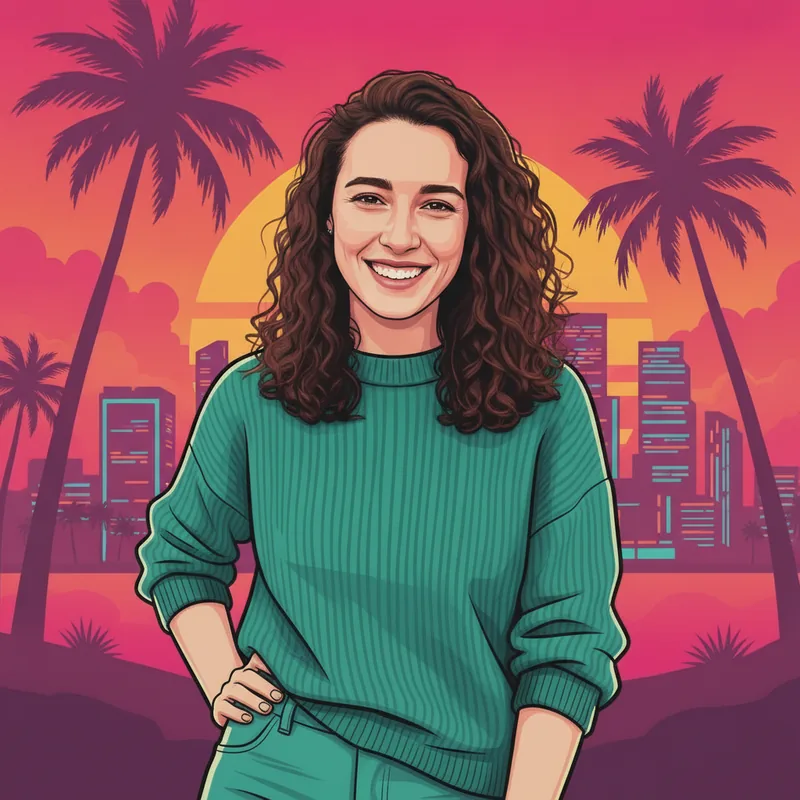
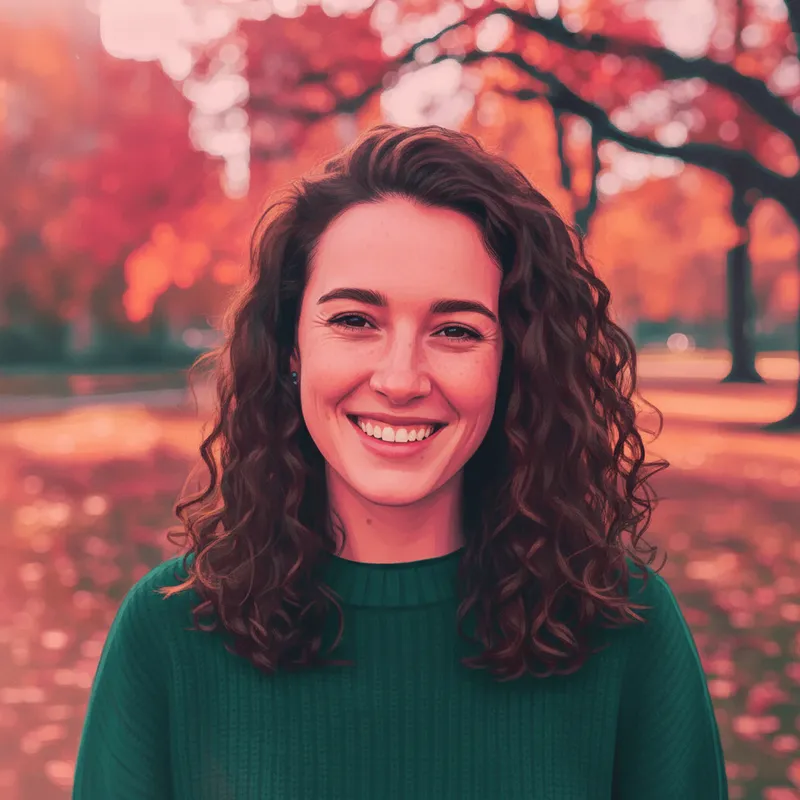
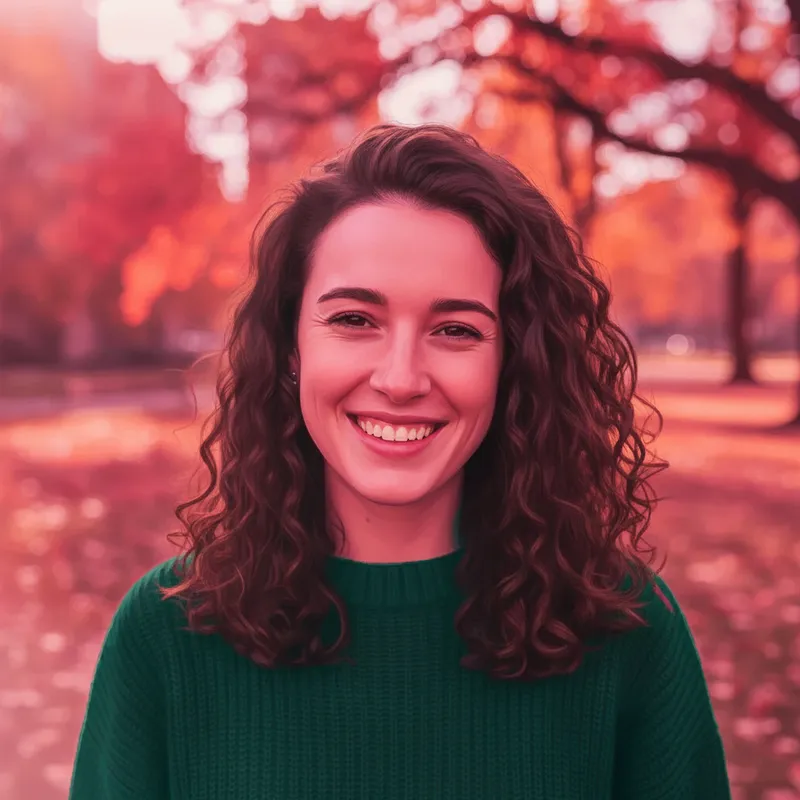
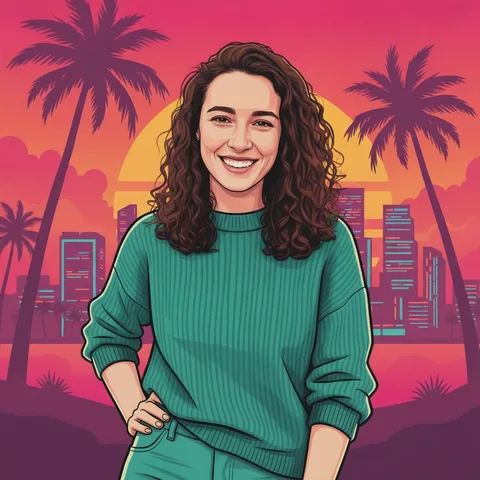
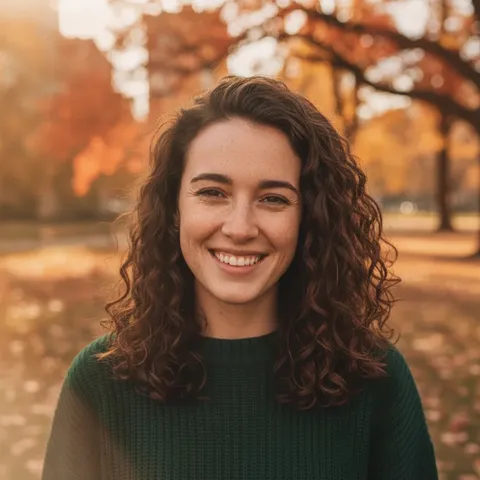
Short answer: upload one clear photo you have the right to use and ask the editor (up to 400 characters) to keep your face, hair and clothes and restyle the rest, with no text or logos. Two prompts are below. “Restyle it like a filter, keep the place” left our fictional portrait in the same park and pink-orange light, but it read as a colour grade, not the illustrated look. “Redraw it, keep the place” added dark outlines to the branches, collar and hair, though skin and hair still looked photographic. For the full illustrated look, redraw the background too, as in the poster below. We ran each prompt once; results vary with the photo.
- One clear photo, face visible, good light
- Keep the place: face and background stay, the look is only a tint
- Redraw the background: the strongest GTA-style look
- Here: about 37 seconds, 10 credits an image, 1024 × 1024
What is the best GTA 6 filter generator?
Short answer: there is no single best one, and we tested none of the others, so we rank none. Pick by what you need. AI Media Studio states every edit needs a paid plan, from $19 a month. Viberot states a free trial and a monthly allowance of 20 credits. FaceWow says it is free with no sign-up, which we could not check. YouCam AI Pro is a phone app, with no price on the page we read. This site is one photo in, one 1024 × 1024 still out on one model, with a free first image and fixed credits after that; it cannot film, run a live camera filter or generate an image without your photo. The table below lines them up.
- Want a filter that keeps your room: ask for it, AI Media Studio shows how
- Want an app on your phone: YouCam AI Pro
- Want one fixed price per still: this site
What is the GTA 6 filter trend?
Short answer: “GTA 6 filter” means two things. In the game, a fan guide says the phone camera has up to 17 filters, cycled with the D-Pad, and a selfie mode, unlocked after the early story. Outside the game, it means an unofficial AI edit that restyles your photo in the illustrated, outlined look of the game’s art, as a web page, an app or a TikTok template: Atlas Cloud’s blog says the TikTok one is a CapCut template made by a creator, not by Rockstar. Rockstar’s game page said “Now Available” today, November 19, 2026, which fits the spike. A reading we were given has searches for the phrase rising since November 18; we did not verify it.
- In-game: the phone camera’s filters (a fan guide says up to 17)
- AI: your photo restyled in the game’s illustrated look, unofficially
- TikTok: a creator’s CapCut template, per one vendor blog
How do I make a GTA 6 filter video on my phone?
Short answer: a one-tap live filter is not something this site does, but it can turn one photo into a 5-second 720p silent clip. That is a separate page, paid credits only (the sign-up gift does not pay for video), 15 credits per clip, about $0.13 to $1.50. On a phone, open that page in your browser, sign in, pick a photo from your gallery, choose one of 3 motion styles and download the clip. We did not test every phone, and we did not test feeding it a restyled poster. For comparison, Nano Banana Video states a 6-second vertical clip with a free first video at 480p and a small watermark, and Atlas Cloud prices a 10-second 720p clip at about $3.04.
- This site: 5 s, 15 credits, paid credits only
- Nano Banana Video: 6 s, first video free, watermarked (its claim)
- Atlas Cloud: 10 s clip, about $3.04 at 720p (its estimate)
What did our own runs show, and what stays the same?
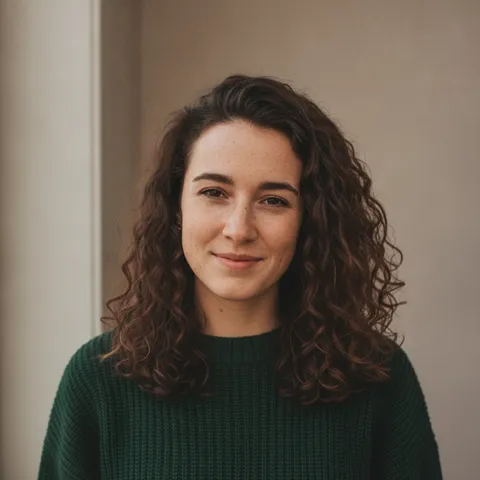
We ran two keep-the-place prompts on this site’s editor on 2026-11-19, each once, on one fictional portrait. Both kept the face, the curly hair, the green sweater and the park layout. Neither made a poster: the first gave a pink-orange tint and the second a partial illustration. The model calls took 28 and 20 seconds; the site’s typical figure is about 37 seconds. AI Media Studio warns the same thing from its side: a palette can change the light, and faces can look a few years older. Two runs are not a test of every photo.
- Stays: face, hair, clothes, background layout (when your prompt says so)
- Changes: colour cast, outlines, some texture
- Check: skin and hair detail, odd shapes, the sky colour
What we read, and what we could not confirm
The in-game camera filters, per a fan guide
- A fan guide dated Nov 19, 2026 says you open the phone with D-Pad Up and pick the camera app, that the rear camera has up to 17 filters cycled with D-Pad Left and Right, that R3 switches to the front camera for selfies, and that the camera unlocks after the early story, once you control Jason. It is not Rockstar documentation.Source: TechWiser (fan guide) ·
AI GTA 6 filters, as each tool states itself
- Restyles an uploaded photo; calls itself unofficial and not affiliated with Rockstar. Says every edit needs a paid plan: Starter is $19 a month for 1,000 credits; per picture 2 credits on Muse Image ($0.038), 9 on Nano Banana 2.1 at 1K, 11 on GPT Image 2.5 ($0.209). Says a “keep the room, the pose and the framing” instruction keeps the background, that the palette can still change the sky, that faces can look a few years older, and that models may add extra people or invented-word signs. Prices checked Nov 16, 2026 on its page.Source: AI Media Studio (self-reported) ·
- Upload a photo, pick the effect, download. Free trial after login and a monthly allowance of 20 credits; no credit cost per render and no price on the page. Claims no watermark and asks you to treat output as fan art, not to sell it or use it in paid ads. No page date.Source: Viberot (self-reported) ·
- Web page: upload, generate, download. Says it is “100% free” with no sign-up, no watermark, and that it does not save your photos. We tested none of these claims. The page has no date and no Rockstar disclaimer.Source: FaceWow (self-reported) ·
- A phone-app route in the YouCam AI Pro app: AI Image, Image to Image, a front-facing selfie, a GTA-style prompt, a model such as YouCam AI or GPT-Image-1.5, then Generate. No price on the page and no Rockstar disclaimer. Dated Feb 13, 2026, so before the launch spike.Source: Perfect Corp blog (self-reported) ·
- Says the TikTok “GTA filter” is a CapCut template, “GTA 6 Screen AI” by a creator, that nothing ties it to Rockstar, and that it turns a photo into a loading-screen-style illustration ending on a still. Gives its own route: a still on Seedream v5.5 Edit ($0.0344) and a 10-second Seedance 2.5 clip at an estimated $3.04 at 720p or $5.98 at 1080p, about $6.05 for one 1080p take, after a 20% discount it says applied on Nov 16, 2026. We opened no CapCut or TikTok page.Source: Atlas Cloud blog (vendor, dated Nov 16, 2026) ·
- A video tool: a 6-second vertical clip in about a minute; first video free after sign-in at 480p with a small watermark; paid plans remove it. It says your photo is deleted after 30 days and calls itself fan-made and not affiliated with Rockstar. No price figures on the page.Source: Nano Banana Video (self-reported) ·
- Says the “filter” is a prompt you run yourself in an AI image model and names two looks: the illustrated loading-screen portrait and a photoreal in-game look. Its own video costs 100 credits, about $4.99, with no subscription. Dated June 24, 2026; calls itself fan-made and not affiliated. We did not try the photoreal look here.Source: Starrd blog (self-reported) ·
Where the game stands
- Read in the in-app browser on 2026-11-19: Rockstar’s game page shows “Now Available” (shown in Traditional Chinese on our read), “Welcome to Leonida”, a Buy Now button and the platforms PS5 and Xbox Series X|S. That is Rockstar’s own page; we did not open a Newswire post. The two neighbouring pages on this site, written earlier today, still say Rockstar’s pages showed pre-order wording.Source: Rockstar Games, game page ·
Not confirmed
- How many filters the in-game camera has and how they work: one fan guide only. We did not open Sportskeeda’s camera guide (it returned an error to our reader) or any Rockstar page about the camera.Source: TechWiser, Sportskeeda ·
- Any CapCut template, TikTok effect or Instagram effect: we opened none. One tool’s guide says to search GTA in Instagram’s effects gallery; we could not check it.Source: Atlas Cloud, AI Media Studio ·
- FaceWow’s and YouCam’s real prices, how many credits Viberot’s render costs, and whether any free claim above holds: none tested.Source: FaceWow, YouCam, Viberot ·
- Where this trend started and how big it is. A reading we were given has searches rising since Nov 18; we did not verify it, and the picker’s search tool is not Google.Source: Daily pick reading (unverified) ·
- Whether the game’s real art looks like these AI filters, and what Rockstar allows for AI fan art: not re-read here. The GTA 6 loading screen page on this site lists the policy pages we read. This is not legal advice.Source: Rockstar Games ·
Compare
GTA 6 filter options, and what this site does
| Option | What it takes | Price as stated |
|---|---|---|
| In-game phone camera | The game, past the early story; a fan guide says up to 17 filters | The price of the game; not covered here |
| AI Media Studio | An uploaded photo; can keep your background if told to | Paid plans only, from $19 a month |
| Viberot | An uploaded photo | Free trial; a monthly allowance of 20 credits |
| FaceWow | An uploaded photo, no sign-up (its claim) | “100% free” (its claim) |
| YouCam AI Pro (app) | A front-facing selfie and a prompt, in the app | Not on the page |
| Nano Banana Video (video) | One photo; 6-second vertical clip | First video free, 480p, watermark |
| This site (stills only) | One photo and a prompt, about 37 seconds, 1024 × 1024; no live filter, no video here | Free with sign-up: 10 credits = 1 image; then 10 credits per image, from $0.13 on a monthly plan |
Step by step
How to make a GTA 6 filter photo here
Pick one clear photo you have the right to use
One face, good light, nothing blocking it. Only people who agreed to be edited.
Decide: keep the place or redraw it
Keep the place for a light colour-grade filter look; redraw the background for the full illustrated poster. Say what must stay (face, hair, clothes) and ask for no text, logos or watermarks.
Generate and check
It takes about 37 seconds and 10 credits. Check the face, skin and hair, and the sky colour; change one thing and run again if needed.
Download, and say it is AI-made when you post
Do not add game logos or a title, and do not say Rockstar made it. For ads or sales, check Rockstar’s rules first.
Prompts
GTA 6 filter prompts for this site’s editor
The first two prompts keep the place and were each run once on this site’s editor on 2026-11-19 with one fictional, AI-generated portrait; the results are the first two images on this page. The last two come from the GTA 6 loading screen page, where the poster results are shown. All name no game, character or logo, and we have not tested them in other tools. Results vary with the photo. You can also type your own request in the editor at the top.
Filter look, same place
More edits in the AI photo editorRun once on this site’s editor on 2026-11-19 with one fictional AI-generated portrait. It kept everything in place but came out as a pink-orange colour grade, the first image on this page.
Filter look, same place
Keep my face, hair, clothes, pose, framing and the park behind me exactly where they are. Only restyle the whole photo like a filter: thick clean dark outlines, flat cel-shaded colour, saturated hot pink and orange light with teal shadows, a slight sunset glow on the sky. Do not add or remove anything. No text, logos or watermarks.
Redraw it, keep the place
Another look: AI headshots from a selfieRun once on 2026-11-19 with the same portrait. Outlines appear on the branches, collar and hair, while skin and hair stay photographic: the second image on this page.
Redraw it, keep the place
Keep my face, hair, clothes, pose and framing the same, and keep the park trees behind me in the same places. Redraw the whole picture as a bold digital illustration, not a photo: visible thick dark outlines around me and the trees, flat cel-shaded colour blocks, hot pink and orange sunset light with teal shadows. No text, logos or watermarks.
For the full poster look: from the GTA 6 loading screen page
The GTA 6 loading screen pageRun once each on 2026-11-19 on this site’s editor with the same portrait; the results are shown on the linked page.
Full poster: sunset city and palm trees
Keep my face, hair and clothes exactly the same. Redraw me as a bold digital illustration in the style of an open-world crime-game loading-screen poster: thick clean outlines, flat saturated colours in hot pink, orange and teal, a confident pose in the foreground, palm trees and a neon beach city skyline under a hazy sunset sky behind me. Poster composition. No text, logos or watermarks.
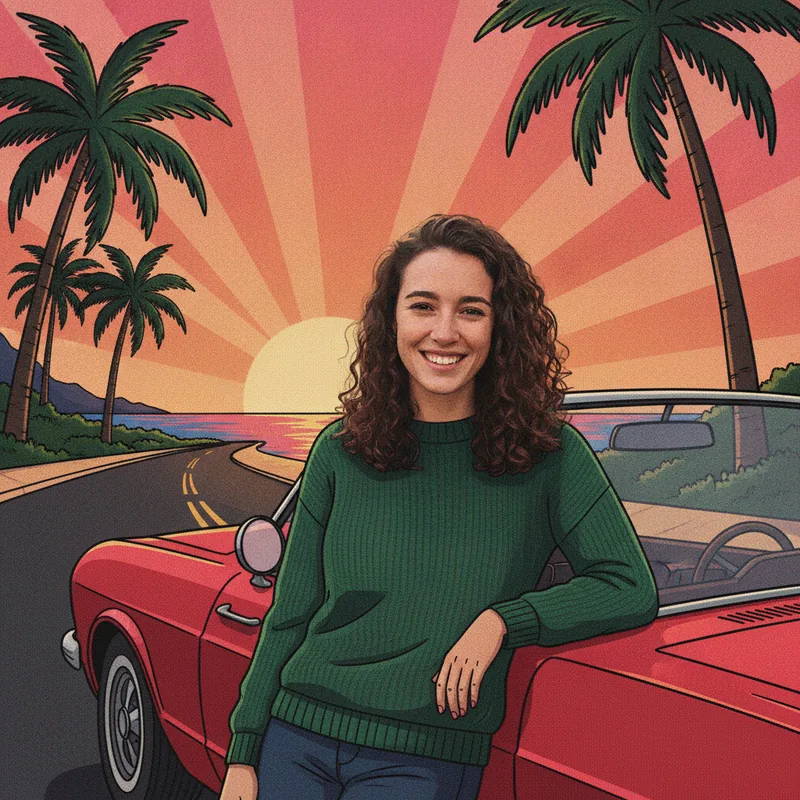
Full poster: unbranded convertible, golden hour
Keep my face and hair exactly the same. Redraw me as a stylised illustrated poster: me leaning on a plain unbranded convertible car on a coastal road at golden hour, palm trees and a pink-orange sky behind, thick outlines, slightly grainy comic-book shading, bold saturated colours. No text, logos, number plates or watermarks.
Pricing on this site
Credit packs or a monthly plan.
Credits come in one-time packs ($4.99 for 50 credits, $9.99 for 120 credits, $19.99 for 300 credits); each image costs 10 credits, and a 5-second video clip on the video page costs 15 credits and needs paid credits. Or pick a plan from $9.90 a month (500 credits), cancel anytime.
Refund policy- Basic · $9.90/month500 credits a month · about 50 images · $0.20 per image
- Pro · $19.90/month1500 credits a month · about 150 images · $0.13 per image
Billed every month and renews automatically. Cancel anytime in Settings; you keep the plan until the end of the month you paid for. Each month's credits are for that month; unused ones expire.
Refund policyPhoto tools on this site
Image edits, restyles and effects for your own photo, plus one video page
- Trend promptsOpen
 Yes Yes I Love You templateOpen
- Tiny Desk AIOpen
- Kirk Cousins AI videoOpen
 Teto Fortnite AI promptsOpen
 GTA 6 loading screenOpen
 GTA 6 ChatGPT promptOpen
 Prompt AI editsOpen
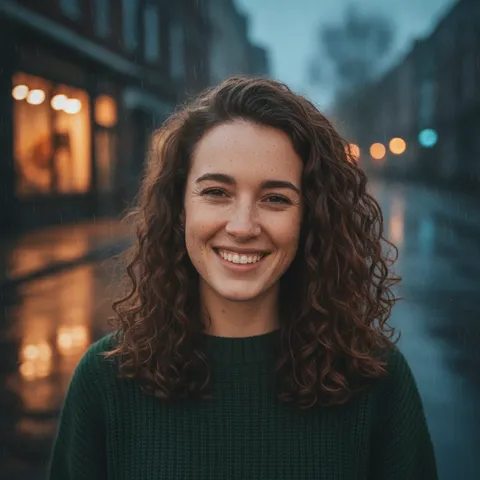 Vikas Editor videoOpen
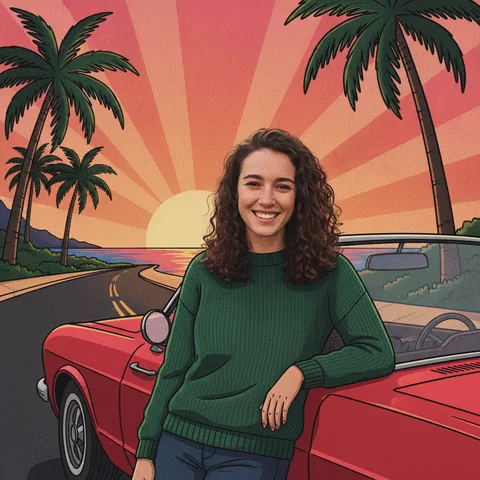 GTA 6 AIOpen
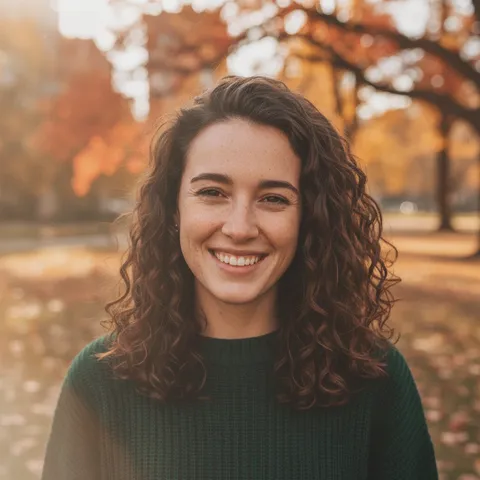 ChatGPT photo editing promptOpen
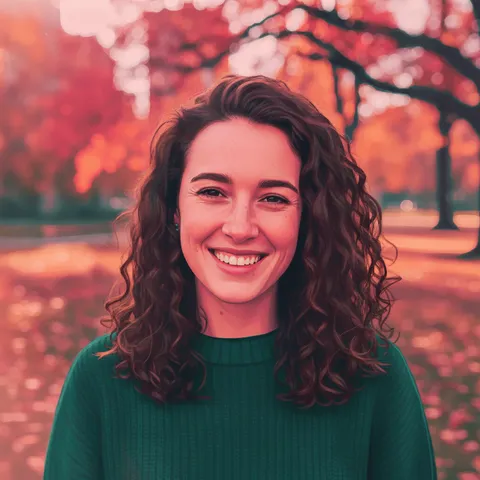 GTA filterOpen
- Prompt AyeshaOpen
 Ye Technical AI promptsOpen
 Whaletail AI promptOpen
 ChatGPT sweater promptOpen
 AI sweater trendOpen
 Miss promptOpen
- AI photo effectsOpen
- All AI photo effectsOpen
FAQ
Questions, answered
What is the GTA 6 filter?
It means two things. In the game, a fan guide says the phone camera has filters you cycle with the D-Pad. Outside it, it is an unofficial AI edit that restyles your own photo in the game’s illustrated, outlined look, on a web page, in an app or as a TikTok template. It is not an official Rockstar tool.
How do I make a GTA 6 AI filter with my own photo?
Upload one clear photo you have the right to use to the editor above and ask it to keep your face, hair and clothes and restyle the rest with no text or logos. Keeping the place gave us a colour tint; redrawing the background gave the full poster look. It takes about 37 seconds per image.
What is the best GTA 6 filter generator or app?
We do not know, and we tested none of the others, so we name no winner. AI Media Studio needs a paid plan; Viberot states a free trial; FaceWow says it is free; YouCam AI Pro is a phone app. This site has fixed credits per image and does one photo at a time. The comparison table lists what each page states.
Is there a free GTA 6 filter?
Partly: new accounts get 10 free credits after signing in, enough for 1 free image (once per account, valid for 7 days, while the day's new-account gifts last). Each image costs 10 credits and takes about 37 seconds; after that, from $0.13 per image on a monthly plan. Other tools’ free claims are their own: Viberot says a monthly allowance of 20 credits and FaceWow says it is free, and we tested neither.
Is there a GTA 6 Instagram filter or a TikTok filter?
Atlas Cloud’s blog says the TikTok one is a CapCut template by a creator, not by Rockstar. One tool’s guide says to search GTA in Instagram’s effects gallery. We opened no CapCut, TikTok or Instagram page, so we cannot confirm either. This site makes a still photo you can post, not a live camera effect.
Can I make a GTA 6 filter video on my phone?
Not on this page: the editor makes still images only. This site’s video page makes one 5-second 720p silent clip from one photo for 15 credits, paid credits only, in your phone’s browser; we did not test every phone. Nano Banana Video states a 6-second clip with a free first video, with a watermark.
Is the game out, and can I post what I make?
Rockstar’s game page showed “Now Available” on 2026-11-19. Posting is your call, and this is not legal advice: leave out the logo, the title treatment, official art and character names, do not suggest Rockstar made it, and say the image is AI-made. We did not re-read Rockstar’s fan-content policy here; the GTA 6 loading screen page lists it.
Is this site GTA 6 or Rockstar?
No. This site is independent and not affiliated with or endorsed by Rockstar Games or Take-Two Interactive. It does not make the game’s own filters, and its prompts name no game, character or logo.
Want your own GTA-style filter edit?
Upload one photo, write the change, and download the result in about 37 seconds.
Edit a photo hereIndependent site. Not affiliated with or endorsed by Rockstar Games, Take-Two Interactive, AI Media Studio, Viberot, FaceWow, Perfect Corp, Atlas Cloud, Nano Banana Video, Starrd, TikTok or CapCut. “GTA 6” and “Grand Theft Auto” are named only to describe a look and a feature people search for; this site shows no game logo, title treatment, official art or character names, and does not make the game’s own filters. This is not legal advice. Facts come from those sites’ own pages, read on 2026-11-19; prices, limits and availability may change.