ChatGPT photo editing prompt: 6 copy-ready prompts for feed-style edits of your own photo
A ChatGPT photo editing prompt is a short request sent with your own photo that says what to change (light, colour, background, skin) and what to keep (face, hair, clothes); copy one of six below, and this site, not ChatGPT, runs it on one photo in about 37 seconds for 10 credits. Free with sign-up: 10 credits = 1 image, then from $0.13 per image on a monthly plan.
 Your photo
Style changes (cartoon, 3D, anime) are not reliable yet. If the result looks unchanged, try again or describe the change more specifically.
One-tap edits
- Not affiliated with OpenAI or ChatGPT
- Edits one photo you upload; no video
- Free with sign-up: 10 credits = 1 image
- prompts on this page, each under 390 characters
- 6
- run once on this site’s editor; the other three were not run
- 3 of 6
- prompts we ran inside ChatGPT: we did not test it
- 0
- for a photo edit here
- ≈ 37 s
What makes a good ChatGPT photo editing prompt?
The guides we read agree on one habit: name the change and name what must stay. Aiarty’s guide gives the formula “Action + Target + Desired Result + Preserve + Constraints” and says you do not need every part each time. eWeek’s tester says the more specific you are about lighting, textures, shadows and what should stay unchanged, the more believable the result. So every prompt on this page starts with the same sentence, “Keep my face, hair and clothes exactly the same”, then changes one thing, then ends with “No text, logos or watermarks”. Each is under 390 characters, and the editor takes up to 400. These are our own words, not copied from any guide.
- Start with what must stay: face, hair, clothes
- Change one thing: light, colour, background or skin
- Say how far: “gently”, “only”, “keep the scene”
Feed-style edits: warm light and a clean look
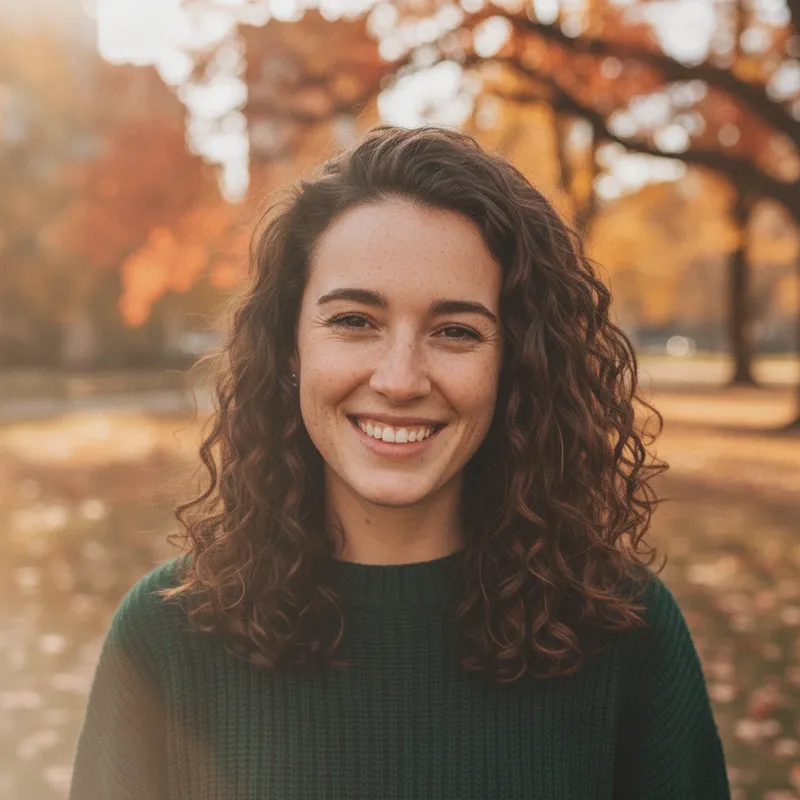
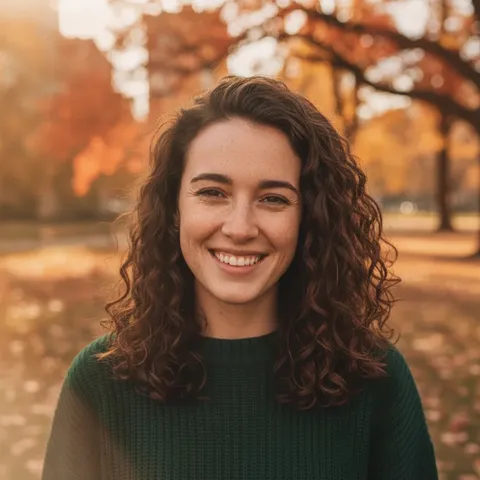
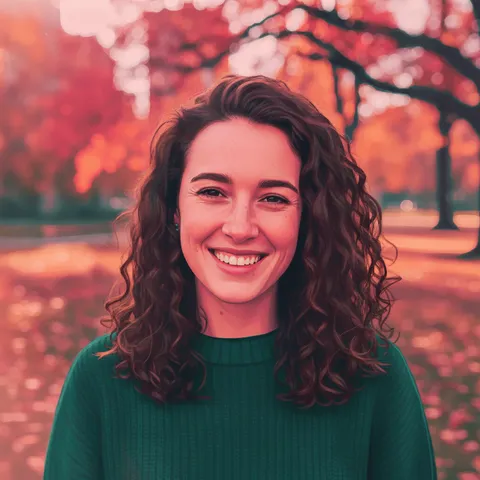
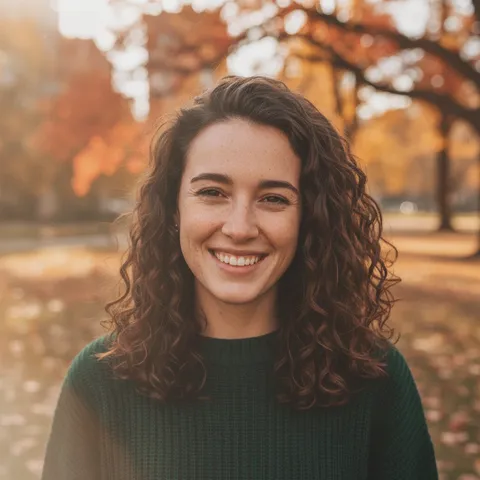
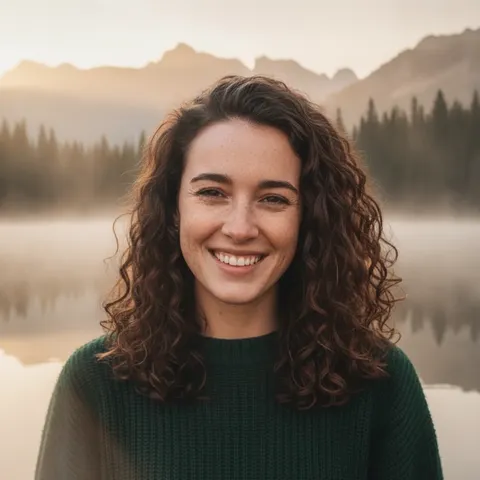
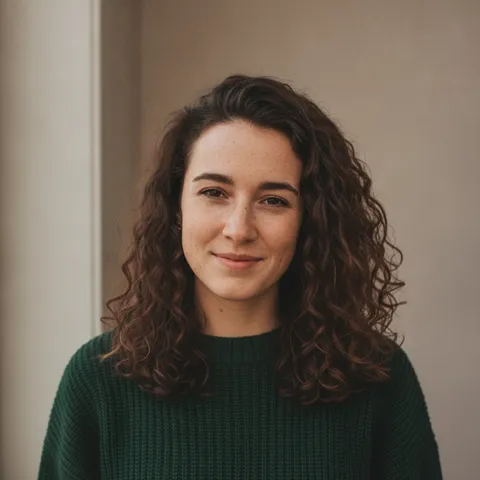
People searching for an Instagram photo editing prompt usually want the look of a polished feed photo: warm or bright light, tidy colour, a calm background. We did not read any Instagram page, so “feed-style” here only means that look. Our golden-hour prompt, run once on a fictional woman, gave a warm glow with a soft haze and a creamy blurred park behind her; her face, freckles, curls and green sweater were kept. We had asked it to keep the scene, and the framing still came out a little wider and a sun flare appeared on the left edge, so check the edges before you post.
- Warm side light, soft haze, blurred background
- Face, freckles, hair and sweater kept in our run
- Framing and a flare changed slightly
Faces and skin: where AI edits go wrong
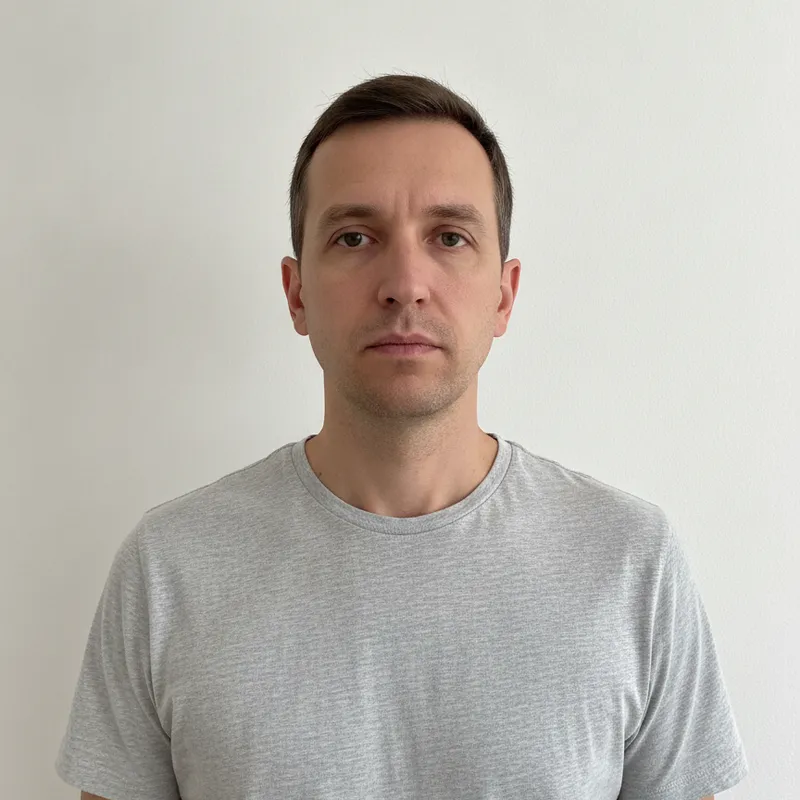
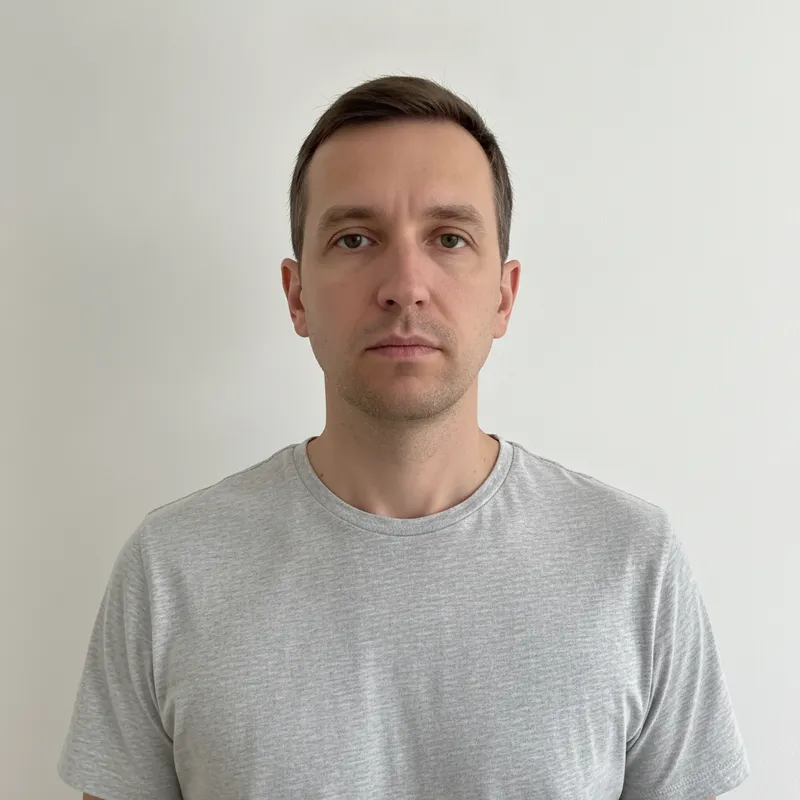
The eWeek tester describes the usual failures of a plain “make it look professional” request: skin too smooth, eyes unnaturally bright, backgrounds that do not match the light. Our skin prompt asks for the opposite: calm blemishes and shine but keep pores and texture, no plastic smoothing, no change to face shape or eye size. Run once on a fictional man whose skin was already clean, it kept his face, hair and shirt, and to our eye the only change was a slightly smoother, more even tone. That is a small test: we did not try a photo with strong blemishes or harsh shadows, and we did not measure anything.
- Ask to keep pores and skin texture
- Say “no plastic smoothing”, “no change to face shape”
- Our run: subtle change on already clean skin
Can ChatGPT do this, and how is this site different?
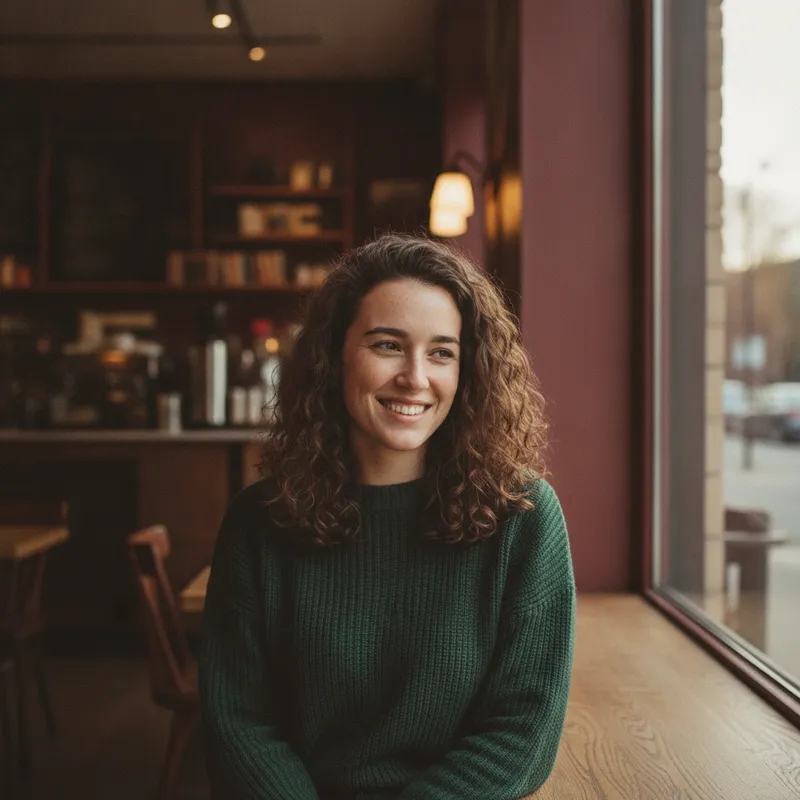
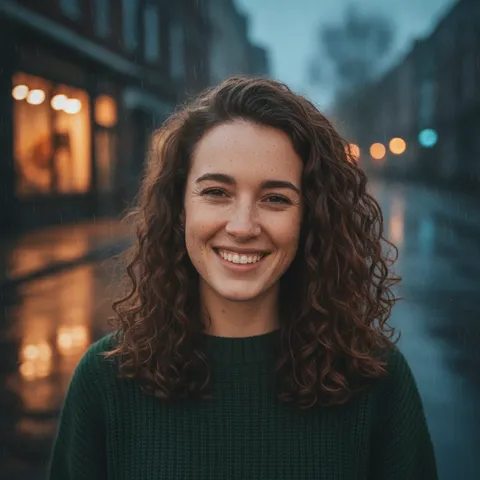
OpenAI’s help page says you can upload an existing image to ChatGPT and describe the changes you want, that image creation is available on all tiers, and that the free tier’s image generation and uploads have usage limits of their own (it gives no numbers). We did not use ChatGPT for this page. This site is a separate, independent editor on one image model: one photo you upload, one edited photo back, 1024 × 1024, about 37 seconds, 10 credits. Our cafe prompt shows what a bigger edit costs you: the face, curls and sweater were kept and the whole background became a warm cafe with a matte film colour, but she now looks to the side and her freckles came out much fainter than in the original.
- Bigger edit, bigger change: pose and freckles shifted
- Check the face against the original before posting
- ChatGPT’s own limits: see its help pages
What we read, and what we could not confirm
What OpenAI says on its own help pages
- ChatGPT Images lets you create images and edit existing ones. To edit, you upload an existing image and describe the change, or pick an image ChatGPT made; you can also select part of the image with a selection tool, and the page warns that highlights are not always precise and edits may extend beyond the area you selected. It says Images 2.6 does a better job of keeping details consistent from one edit to the next, that a request may take a few minutes, and that Images is available on all tiers on web, iOS and Android.Source: OpenAI Help Center, Images in ChatGPT (page marked updated about a day before we read it) ·
- Free-tier users can upload images or files and create images in ChatGPT. File uploads and image generation have separate usage limits, ChatGPT notifies you when you reach one, and the page states no numbers; the default model and limits can change over time.Source: OpenAI Help Center, ChatGPT Free Tier FAQ (page marked updated 11 days before we read it) ·
What prompt guides say (their claims, not tested by us)
- Aiarty’s guide, updated 11 August 2026, offers the formula Action + Target + Desired Result + Preserve + Constraints. For portraits it says to state what must stay the same (face, pose, clothing) and to ask for natural skin texture without excessive smoothing. It promotes Aiarty’s own desktop image enhancer, and the page shows no price.Source: Aiarty (a vendor’s guide) ·
- eWeek’s Aminu Abdullahi, 15 June 2026, says he tested prompts across ChatGPT, Gemini, Qwen, Meta AI and other tools, lists six prompts (background swap, headshot, enhancement, object removal, outfit change, skin retouch) and says realism comes from being specific about lighting, textures, shadows and what stays unchanged. He says ChatGPT kept identities intact most consistently in his testing; that is his claim, and we did not test it.Source: eWeek (a tester’s article) ·
- Roo’s Newsletter, 4 May 2026, has 31 numbered prompts under a “50+” title, recommends uploading the photo in the same message as the prompt and stating your skin tone instead of leaving it to the model, and promotes the author’s own paid prompt guide (no price shown).Source: Roo’s Newsletter (an author’s newsletter) ·
Not confirmed
- Whether any of our prompts gives the same result in ChatGPT. We ran our own wording only in this site’s editor, and we have no data on how ChatGPT would handle them.Source: Our own test scope ·
- Whether ChatGPT keeps a face better than other tools (eWeek’s and Roo’s claim), how many free images ChatGPT allows (no number on OpenAI’s page), and how large the “Instagram viral photo editing” trend is. A video with the title “Instagram Viral Photo Editing | ChatGPT Photo Editing Prompt” is one place the phrase shows up; we did not watch it and say nothing about its content. We did not open chatgpt.com, reddit.com, facebook.com or promptplum.com results, and a search for promptplum returned no page.Source: Our search results and the pages above ·
- Anything about Instagram’s own rules or tools: we read no Instagram page, and “Instagram-style” on this page only describes a look.Source: Our own test scope ·
First-hand
Three prompts we ran on this site’s editor
| Prompt | What changed | What stayed | Check before you post |
|---|---|---|---|
| Golden-hour glow (woman) | Warm side light, soft haze, creamy blurred background | Face, freckles, curls, green sweater | Framing a little wider; a sun flare on the left edge |
| Natural skin retouch (man) | Slightly smoother, more even skin tone | Face, hair, grey T-shirt, wall | Little to see on clean skin; try your own photo |
| Cafe window, matte film (woman) | Whole background became a warm cafe; matte colour; she looks to the side | Face shape, curls, green sweater | Pose changed and freckles came out much fainter |
Step by step
How to use a photo editing prompt here
Pick one clear photo of yourself
One face, eyes visible, decent light. Use a photo of an adult that you took or have the right to use, and edit other people only if they agree.
Upload it and paste a prompt
Press Copy on a card below, paste it into the request box under the photo, and change any detail you like. You can write your own up to 400 characters: what must stay, the one thing to change, how far to go.
Generate and compare
It takes about 37 seconds and 10 credits. Put the result next to the original and check the face, hands, skin and the edges of the picture. If one thing is off, say it in one short sentence and run again.
Download, and say it is AI-edited when you post
Uploading a photo to any AI tool shares it with that service, so read its data and privacy terms first.
Prompts
ChatGPT photo editing prompt: six copy-ready edits for this site’s editor
These six are our own wording, not taken from the guides above, and they name no brand or person. Three were run once on this site’s editor on 2026-11-19 with fictional, AI-generated photos (the images on this page); the other three were not run, and the card says so. We have not tested any of them in ChatGPT or another tool. Press Copy, paste the text into the request box under the photo, or use the nearest one-tap preset where a card offers it. Results vary with the photo.
Light only: warm golden-hour glow
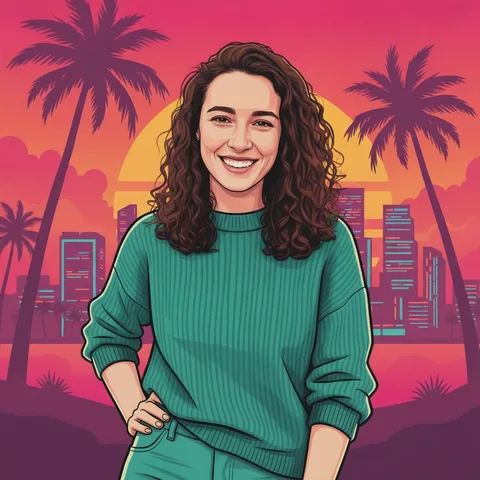
Another ChatGPT photo trend: the sweater promptRun once on this site’s editor on 2026-11-19 with one fictional AI-generated woman; it is the first image on this page. The editor’s one-tap “Golden hour” preset is the nearest built-in option.
Warm golden-hour glow
Keep my face, hair and clothes exactly the same. Change only the light and colour: warm low golden-hour sun from one side with a soft glow on my hair, gently lifted shadows, warm but natural skin tones, a creamy blurred background, slight film softness. Keep the scene. No text, logos or watermarks.
Light only: bright and airy daylight
Writing your own: Prompt AI EditsNot run. Written in the same shape as the golden-hour prompt; check the face and the whites on your own photo. The editor’s one-tap “Fix lighting” preset is the nearest built-in option.
Bright and airy daylight
Keep my face, hair and clothes exactly the same. Make the photo bright and airy: soft diffused daylight, lifted shadows, clean whites, colours a little brighter without oversaturating, natural skin tones, no harsh highlights. Keep the scene and framing. No text, logos or watermarks.
Light and colour: blue-hour evening
Window-light looks: Miss PromptNot run. It asks the model to relight the whole photo, so expect more change than a colour tweak and check the face.
Blue-hour evening with warm glow
Keep my face, hair and clothes exactly the same. Relight the photo as an early evening: cool blue ambient light with a warm glow on my face from shop windows, soft out-of-focus lights behind me, rich but natural colours, fine grain. Keep my pose. No text, logos or watermarks.
Skin: a light retouch that keeps texture
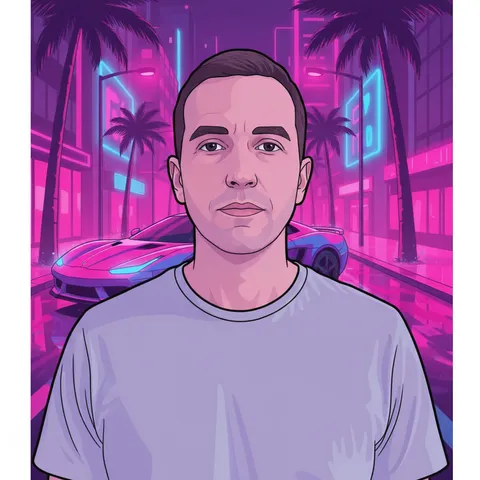
Headshots with the same idea: Professional headshotsRun once on this site’s editor on 2026-11-19 with one fictional AI-generated man; it is the second image on this page.
Light retouch, skin kept natural
Keep my face, hair, clothes and expression exactly the same. Retouch lightly: calm small blemishes and shine on my skin, even out redness and under-eye shadows, but keep pores and natural skin texture, no plastic smoothing, no change to face shape or eye size. Soft even light, true colours. No text, logos or watermarks.
Background and colour: cafe window seat, matte film
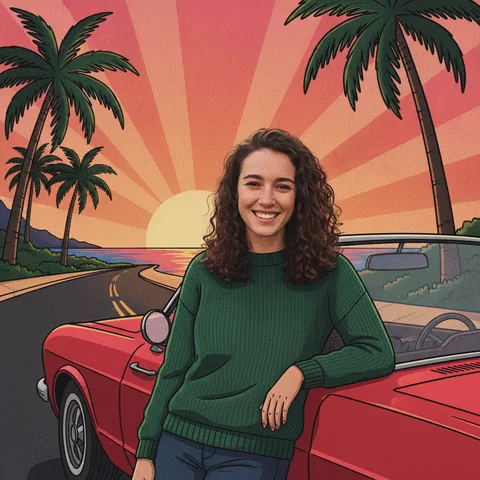
Prompt libraries and where they fit: Whaletail AI promptRun once on this site’s editor on 2026-11-19 with the same fictional woman as the golden-hour run; it is the third image on this page. It reshoots the scene, so the pose changed.
Cafe window seat, matte film colour
Keep my face, hair and clothes exactly the same. Reshoot this photo of me at a window seat in a quiet cafe: soft side light from the window, a blurred warm cafe behind me, a matte film colour grade with slightly faded blacks and muted warm tones, fine grain, natural skin. No text, logos or watermarks.
Background: tidy it, keep the place
More edits in the AI photo editorNot run. The editor’s one-tap “Clean background” preset is the nearest built-in option.
Tidy the background only
Keep my face, hair, clothes and pose exactly the same. Tidy only the background: remove bins, cables, signs and passers-by and fill the gaps naturally, keep the place recognisable, and soften the focus behind me a little. Keep the light and colours. No text, logos or watermarks.
Pricing on this site
Credit packs or a monthly plan.
Credits come in one-time packs ($4.99 for 50 credits, $9.99 for 120 credits, $19.99 for 300 credits); each image costs 10 credits. Or pick a plan from $9.90 a month (500 credits), cancel anytime.
Refund policy- Basic · $9.90/month500 credits a month · about 50 images · $0.20 per image
- Pro · $19.90/month1500 credits a month · about 150 images · $0.13 per image
Billed every month and renews automatically. Cancel anytime in Settings; you keep the plan until the end of the month you paid for. Each month's credits are for that month; unused ones expire.
Refund policyPhoto tools on this site
Images only: edits, restyles and effects for your own photo
- Trend promptsOpen
 Yes Yes I Love You templateOpen
- Tiny Desk AIOpen
- Kirk Cousins AI videoOpen
 Teto Fortnite AI promptsOpen
 GTA 6 loading screenOpen
 GTA 6 ChatGPT promptOpen
 Prompt AI editsOpen
 Vikas Editor videoOpen
 GTA 6 filterOpen
 GTA 6 AIOpen
- GTA filterOpen
 Prompt AyeshaOpen
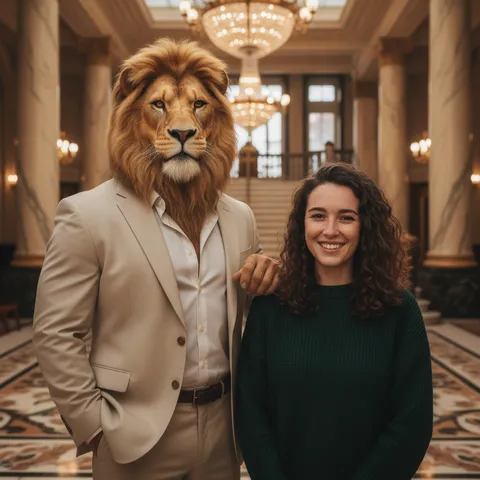 Ye Technical AI promptsOpen
 Whaletail AI promptOpen
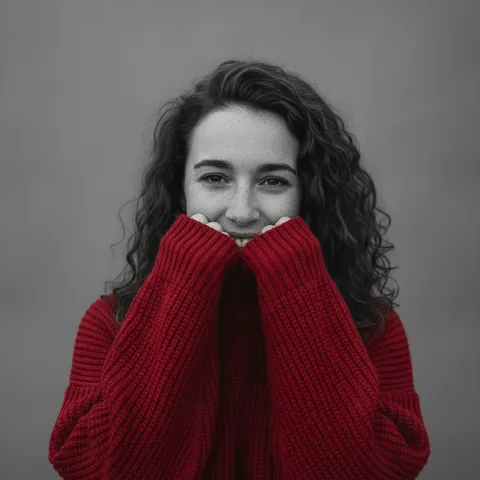 ChatGPT sweater promptOpen
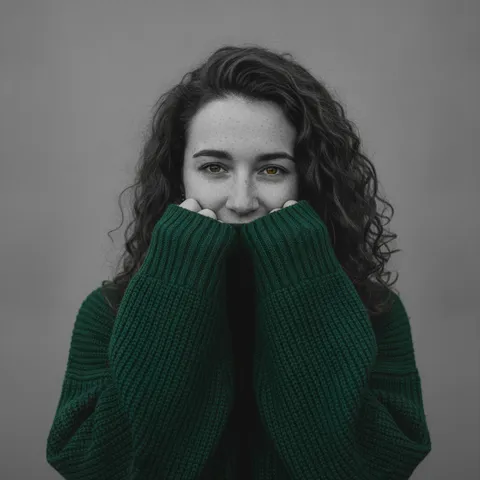 AI sweater trendOpen
 Miss promptOpen
- AI photo effectsOpen
- All AI photo effectsOpen
FAQ
Questions, answered
What is a ChatGPT photo editing prompt?
It is the written request you send with your own photo to an AI image tool, such as ChatGPT, saying what to change and what to keep. OpenAI’s help page describes the same flow: upload an existing image and describe the changes you want. The prompts on this page are written for this site’s editor, not for ChatGPT.
How do I write ChatGPT photo editing prompts that keep my face?
Say what must stay, change one thing, and say how far to go. Aiarty’s guide suggests naming the face, pose and clothing as unchanged and asking for natural skin texture; eWeek’s tester asks for the same in different words. Our prompts open with “Keep my face, hair and clothes exactly the same”. In our runs the face was kept each time, but the cafe prompt changed the pose and freckles.
Can I use an Instagram photo editing prompt like these for a viral photo edit?
Yes for the look: warm light, a clean bright tone or a tidy background are things the prompts above ask for. We did not read any Instagram page, so we cannot say what any feed rewards. Check the result against the original and say it is AI-edited when you post.
Do these AI photo editing prompts work in ChatGPT?
We do not know: we ran them only in this site’s editor. They are plain sentences, so you can paste one into ChatGPT with your photo, but results may differ and we make no claim about them. OpenAI’s help page says free-tier image creation and uploads have usage limits, without numbers.
Will the skin look fake?
Not in our one run: the skin prompt asked for pores and texture to stay and for no plastic smoothing, and to our eye it gave a slightly smoother tone on an already clean photo. eWeek’s tester says plain “make it professional” requests tend to over-smooth skin. We did not test photos with strong blemishes.
Is this site ChatGPT or OpenAI?
No. This site is independent and not affiliated with OpenAI or ChatGPT. It runs one image model in its own photo editor, edits a photo you upload, and does not make video.
Can I try a photo editing prompt for free?
Partly: new accounts get 10 free credits after signing in, enough for 1 free image (once per account, valid for 7 days, while the day's new-account gifts last). Each image costs 10 credits and takes about 37 seconds; after that, from $0.13 per image on a monthly plan.
Can I edit a photo of someone else?
Only with their agreement, and not a photo of a child or a public figure. The editor is meant for your own photos and people who consent to the edit.
Ready to try a prompt on your own photo?
Upload one photo, paste a prompt, and download the result in about 37 seconds.
Edit a photo hereIndependent site. Not affiliated with OpenAI, ChatGPT, Instagram, Meta, Aiarty, eWeek or Roo’s Newsletter. “ChatGPT” and “Instagram” are named only to describe what people search for; this site does not run ChatGPT. Facts about ChatGPT and the guides come from their own pages, read on 2026-11-19, and the guides’ claims were not tested by us; limits and prices may change.