Avatar creator: turn one photo into a profile picture avatar
An avatar creator turns one photo into a profile picture, and this one makes still images only (cartoon, 3D-render or flat-vector), not talking video avatars, which HeyGen describes as a portrait plus a script made into a lip-synced video, and not 3D game characters, in about 37 seconds for 10 credits. Free with sign-up: 10 credits = 1 image, then from $0.13 per image on a monthly plan.
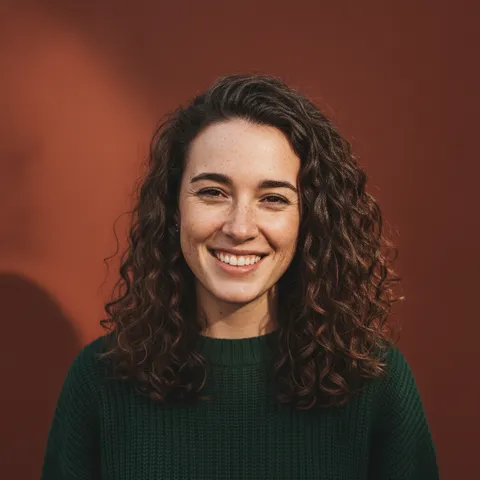
 Your photo
Style changes (cartoon, 3D, anime) are not reliable yet. If the result looks unchanged, try again or describe the change more specifically.
One-tap edits
- Images only: no talking avatars, no 3D game characters
- Free with sign-up: 10 credits = 1 image
- Adults only, one clear photo
- for an avatar edit here
- ≈ 37 s
- per image made here
- 10 credits
- size of the image you download
- 1024 × 1024
- looks we ran came out usable; our pixel-art run failed and is not shown
- 3 of 4
Which kind of avatar creator do you mean?
The word covers three different things. An image avatar creator, which is what this site is, turns a photo into a still profile picture; getimg.ai describes its own version as 2D image artwork, not rigged or animated 3D avatars. A talking-avatar tool takes a portrait and a script and returns a lip-synced video; HeyGen’s page describes exactly that and quotes Creator plans at $24 to $29 per month. A 3D character creator, such as Avatar SDK’s MetaPerson Creator, makes a rigged full-body model for games or VR from one selfie, and exports GLB, glTF or FBX. We make the first kind only.
- Image avatar (profile picture): here, still images only
- Talking video avatar: not here; HeyGen is one tool that does it
- 3D game or VR character: not here; Avatar SDK is one tool that does it
What does an avatar creator make from a photo?
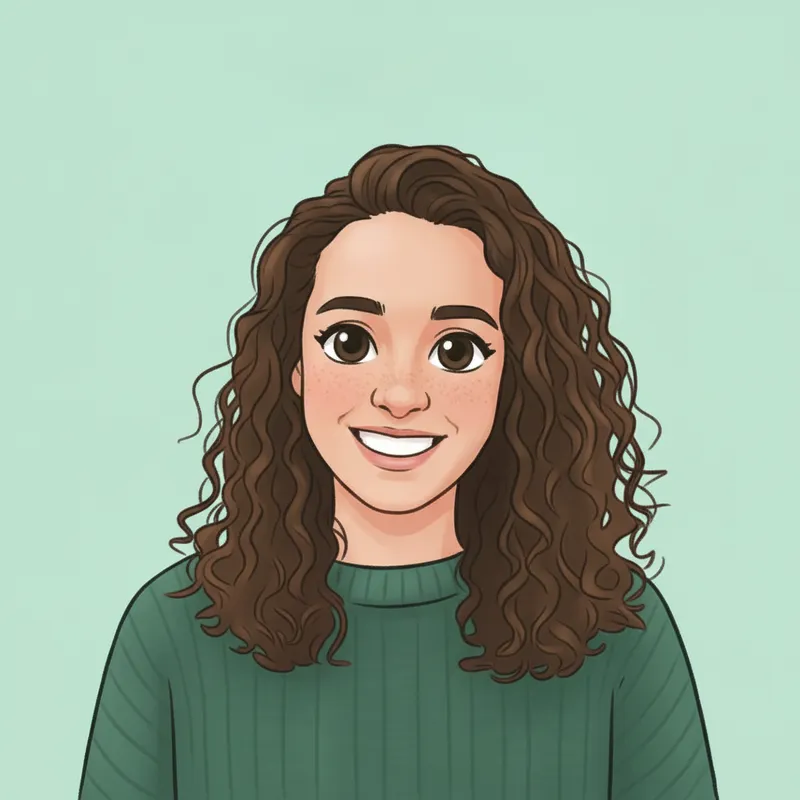
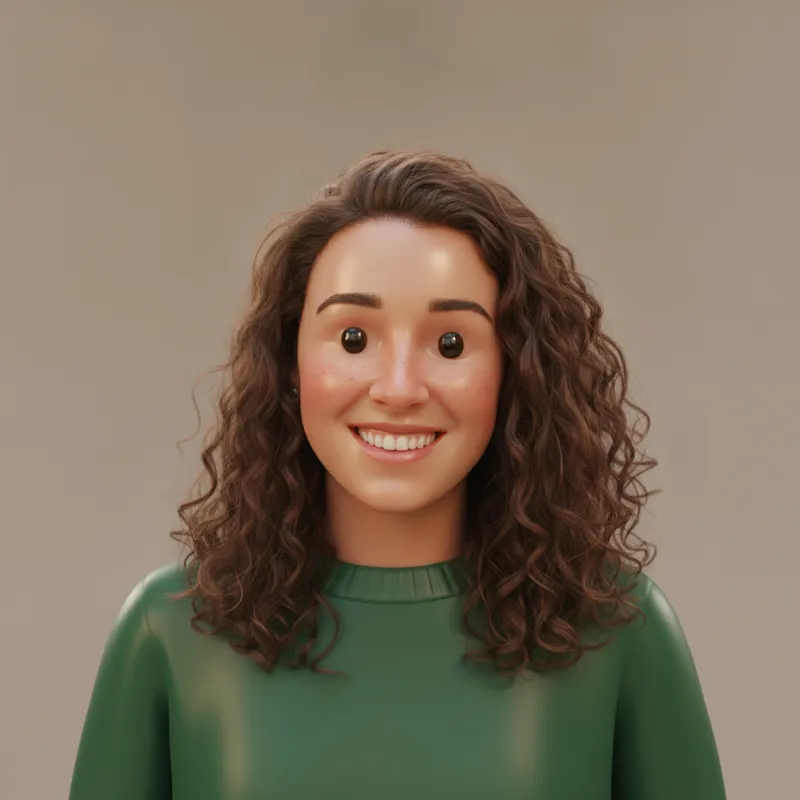
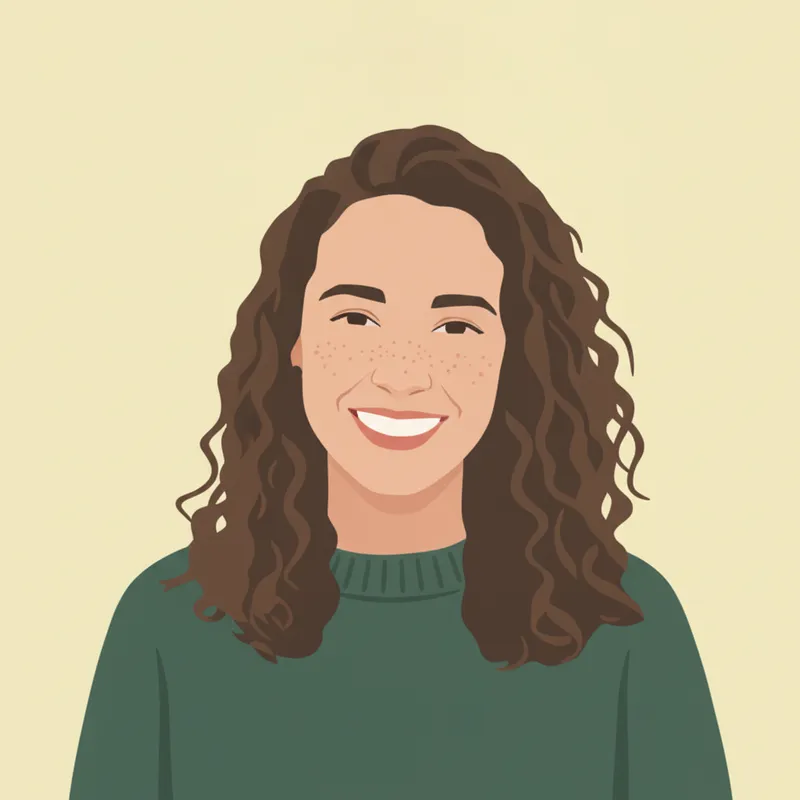
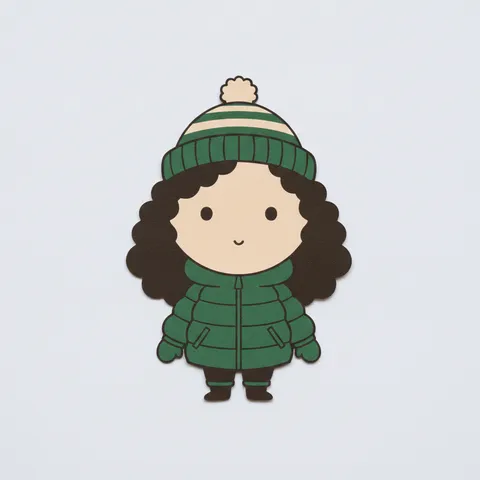
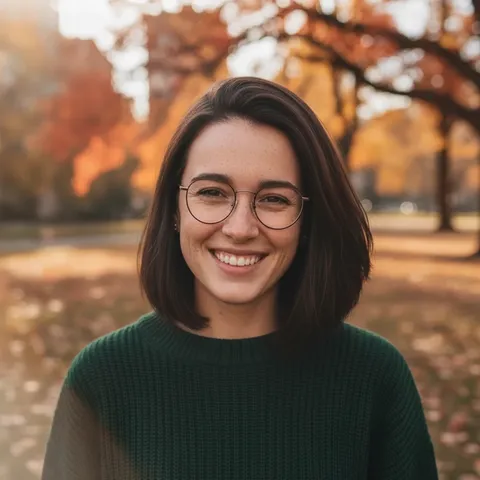
On 2026-11-19 we ran three looks on this site’s editor from one fictional, AI-generated portrait: a friendly cartoon, a 3D render and a flat vector. Each kept the face, the curly hair and the green sweater recognisable and swapped the park for a plain colour, which is what you want behind a profile picture. You describe the look in the editor (up to 400 characters) or paste one of the prompts below. A typical edit takes about 37 seconds and costs 10 credits.
- Cartoon: clean outlines, soft flat shading
- 3D render: toy-like, smooth, studio light
- Flat vector: solid colours, no outlines
- Each result is 1024 × 1024
What crops well as a profile picture?
Most profile slots show a small circle, so we cut circles at 96, 48 and 32 px from our three results. In each result the face, hairline to chin, fills about 38% of the frame height, so a whole-frame circle at 48 px shows a face only about 18 px tall. Cropping to the centre 640 × 640 px of the 1024 px image makes the face about 60% of the circle, and it read clearly at 48 and 32 px for the cartoon and the flat vector. Our 3D render kept the face shape but lost the expression at 32 px, because its eyes came out as glossy dark beads. Plain single-colour backgrounds gave a clean circle edge in all three.
- Ask for head and shoulders, centred, with the face large
- Crop to the centre before you upload to a round slot
- Pick flat or outlined looks if the picture will be tiny
- Ask for a plain single-colour background
What did not work, and what we did not test
Our pixel-art run did not work: the image came back with white bars down both sides instead of filling the square, and the pixels were fine rather than chunky, so it looked like a soft painting. We do not show it, and the pixel prompt below says so. We did not run the anime-inspired prompt or the chunkier pixel-art retry. All runs used one portrait, one run per look, so they show what is possible, not what every photo will give; check the face and the edges before you use an avatar.
- Pixel-art run: failed, not shown
- Anime-inspired and chunkier pixel prompts: not run
- One portrait, one run per look
What we read, and what we could not confirm
The three kinds of avatar creator, per the vendor pages
- A talking-avatar tool: one front-facing portrait plus a script (typed, or an audio file) in, a lip-synced talking video out, saved as an MP4 in HD or 4K. The page says its free maker works with stock avatars and AI voices at no cost with no credit card, gives no numeric free limits, and quotes Creator plans at $24 to $29 per month and API output at $0.05 per second.Source: HeyGen (self-reported) ·
- A 3D character creator: MetaPerson Creator turns one front-facing selfie into a full-body rigged 3D avatar, realistic or cartoon, in about a minute, and exports GLB, glTF or FBX for games, VR/AR, video and calls. The first avatar is free (LOD1, JPG textures, 1K); more avatars cost in-app credits, with no amounts on the page.Source: Avatar SDK (self-reported) ·
- An image avatar creator: takes a text description or a reference photo and returns 2D image artwork, which the page says is not a rigged or animated 3D avatar. Styles listed: realistic, anime, 3D, cartoon, pixel art, low-poly, fantasy, minimalist and illustrated. 1:1 is recommended for profile pictures.Source: getimg.ai (self-reported) ·
Image avatar tools: free allowance and price, as they state
- Monthly plans in USD: Entry $15 for 8,000 product credits, Core $35 for 19,000, Plus $79 for 42,500, Ultra $199 for 107,500. Paid plans include commercial rights. The page does not say how many credits one avatar costs.Source: getimg.ai (self-reported) ·
- One photo in, a grid of profile looks out (professional, casual, creator, avatar, social-ready; the example grid shows pencil, anime, painted and neon looks). The page says 3 free profile pictures per day, no sign-up needed and no watermark, and gives no prices for paid plans.Source: Magic Hour (self-reported) ·
- A JPG, JPEG, PNG or WEBP photo up to 10 MB in, one stylised avatar out, with character presets such as Human, Elf and Alien and a Custom tab. The page says up to three free avatar generations each month, usable without an account, ten free credits on sign-up, and no watermark on downloads. No prices are shown.Source: Pixelbin (self-reported) ·
Not confirmed
- getimg.ai: whether there is a free plan or trial, whether sign-up is needed, whether results carry a watermark, the native output size, and the credits one avatar costs. The page states none of these.Source: getimg.ai ·
- Output sizes and paid prices: Magic Hour states no resolution and no paid prices; Pixelbin states no pixel size and no prices; Avatar SDK gives no credit amounts; HeyGen gives no numeric free-plan limits.Source: Magic Hour, Pixelbin, Avatar SDK, HeyGen ·
- Other tools named in search results for this word, such as Synthesia, Ready Player Me, Genies, Bitmoji and MetaHuman, were not opened by us, so we say nothing about them beyond their names. This is not a ranking and we have not tested any outside tool.Source: WebSearch results (not Google) ·
Compare
Avatar creators by kind, and what this site does
| Tool | What it makes from your photo | Free allowance and price, as stated |
|---|---|---|
| getimg.ai | 2D image avatars from a photo or text, many styles | Plans from $15 a month for 8,000 credits; free plan not stated |
| Magic Hour | A grid of profile-picture looks from one photo | 3 free a day, no sign-up, no watermark; paid prices not stated |
| Pixelbin | One stylised avatar per photo, character presets | Up to 3 free a month, no watermark; paid prices not stated |
| Avatar SDK MetaPerson (3D, not images) | A rigged full-body 3D avatar for games and VR, GLB or FBX | First avatar free; further avatars cost credits, amounts not stated |
| HeyGen (talking video, not images) | A lip-synced talking video from a portrait and a script | Free maker, limits not stated; Creator plans $24 to $29 a month |
| This site (images only) | A still avatar from one photo and a written request, about 37 seconds, 1024 × 1024; no video, no 3D | Free with sign-up: 10 credits = 1 image; then 10 credits per image, from $0.13 on a monthly plan |
Step by step
How to make a profile picture avatar from a photo here
Pick one clear photo of yourself
One adult face, good light, nothing covering it. This page does not accept photos of anyone under 18, and you should only use photos you have the right to use.
Upload it and paste a prompt
Choose a look below (cartoon, 3D render, flat vector) or write your own. Say what must stay (face, hair, clothes), ask for head and shoulders, centred, a plain background and no text, logos or watermarks.
Generate and check the face and edges
It takes about 37 seconds and 10 credits. Look at the face, the hair edge and the corners; change one thing and run again if needed.
Crop to the centre and test it small
Crop to the middle of the square so the face fills most of a round slot, then view it at the size it will really appear. Flat or outlined looks hold up best when tiny.
Prompts
Avatar creator prompts for this site’s editor
The first three prompts were each run once on this site’s editor on 2026-11-19 with one fictional, AI-generated portrait, and their results are the images on this page. The pixel-art prompt was run once and did not work, the other two were not run. They name no brand, show or character, and we have not tested them in other tools. Results vary with the photo. You can also type your own request in the editor at the top.
Cartoon avatar
More edits in the AI photo editorRun once on this site’s editor on 2026-11-19 with one fictional AI-generated portrait. The result is the first image on this page.
Friendly cartoon avatar
Keep my face shape, curly brown hair and green sweater recognisable. Redraw me as a friendly cartoon avatar: head and shoulders, centred, clean outlines, soft flat shading, plain pastel mint background. Square profile-picture framing, face large enough to read as a small thumbnail. No text, logos or watermarks.
3D-render avatar
Turn a photo into a figurineRun once on 2026-11-19 with the same portrait. The result is the second image on this page.
3D-render avatar
Keep my face, curly brown hair and green sweater recognisable. Redraw me as a glossy 3D-render avatar like a soft toy figure: rounded shapes, smooth surfaces, gentle studio light, head and shoulders centred, plain warm-grey background. Face large in a square frame. No text, logos or watermarks.
Flat vector avatar
All photo effects on this siteRun once on 2026-11-19 with the same portrait. The result is the third image on this page.
Flat vector avatar
Keep my face, curly brown hair and green sweater recognisable. Redraw me as a flat vector avatar: simple geometric shapes, four or five solid colours, no gradients, no outlines, head and shoulders centred, solid pale-yellow background. Face large in a square frame. No text, logos or watermarks.
Pixel-art avatar (run, did not work)
Starting from a small old photo? Restore it firstRun once on 2026-11-19 with the same portrait. The result came back with white bars down both sides and soft pixels instead of chunky ones, so we do not show it. Treat this prompt as a weak starting point.
16-bit pixel-art avatar
Keep my face, brown hair and green sweater recognisable. Redraw me as a 16-bit pixel-art avatar: chunky visible pixels, a small colour palette, head and shoulders centred, solid dark-blue background. Face large in a square frame. No text, logos or watermarks.
Anime-inspired avatar (not run)
Another illustrated look: the poster styleWe did not run this one. It describes the look in our own words and names no show or character.
Anime-inspired portrait
Keep my face, curly brown hair and green sweater recognisable. Redraw me as an anime-inspired portrait: large expressive eyes, clean line art, soft cel shading, head and shoulders centred, plain soft-lilac background. Face large in a square frame. No text, logos or watermarks.
Pixel art, chunkier (not run)
We did not run this one. It is our guess at fixing the failed pixel-art run: bigger pixels, fewer colours, background to the edges. Try it and look before you use it.
Pixel art, chunkier (retry)
Keep my face, brown hair and green sweater recognisable. Redraw me as pixel art built from very large square pixels, like a 64 by 64 grid, with only about twelve colours and no smoothing. Head and shoulders centred, solid dark-blue background filling the whole square edge to edge. No text, logos or watermarks.
Pricing on this site
Credit packs or a monthly plan.
Credits come in one-time packs ($4.99 for 50 credits, $9.99 for 120 credits, $19.99 for 300 credits); each image costs 10 credits. Or pick a plan from $9.90 a month (500 credits), cancel anytime.
Refund policy- Basic · $9.90/month500 credits a month · about 50 images · $0.20 per image
- Pro · $19.90/month1500 credits a month · about 150 images · $0.13 per image
Billed every month and renews automatically. Cancel anytime in Settings; you keep the plan until the end of the month you paid for. Each month's credits are for that month; unused ones expire.
Refund policyPhoto tools on this site
Images only: edits, restyles and effects for your own photo

FAQ
Questions, answered
What is an avatar creator?
A tool that makes a digital stand-in for you, but the word covers three kinds: image avatars (a still profile picture from a photo), talking-video avatars (a portrait plus a script made into a lip-synced video, as HeyGen describes) and 3D characters for games and VR (as Avatar SDK describes). This site makes the first kind only.
How do I make an avatar from a photo with an AI avatar creator?
Upload one clear photo of yourself, then describe the look: keep your face, hair and clothes, redraw as a cartoon, 3D render or flat vector, head and shoulders centred on a plain background, no text or logos. This site’s editor takes about 37 seconds per image. Results vary with the photo.
Is there a free cartoon avatar generator here?
Partly: new accounts get 10 free credits after signing in, enough for 1 free image (once per account, valid for 7 days, while the day's new-account gifts last). Each image costs 10 credits and takes about 37 seconds; after that, from $0.13 per image on a monthly plan. Other tools state their own free allowances, for example Magic Hour says 3 free a day and Pixelbin says up to three a month; we have not tested them.
Can this avatar creator make a talking or video avatar?
No. This site makes still images only: it does not make video, lip-sync or voices. For a talking avatar from a portrait and a script, HeyGen offers a free maker with stock avatars and Creator plans at $24 to $29 a month, as stated on its page; we have not tested it.
Can it make a 3D avatar for a game or VR?
No. We make a flat image, not a rigged 3D model. We can make a 3D-render-looking picture, like our sample, but you cannot move it or import it into a game. Avatar SDK’s MetaPerson Creator says it makes rigged 3D avatars from one selfie and exports GLB, glTF or FBX, with the first avatar free; we have not tested it.
What size and framing work best for a profile picture maker avatar?
The image you download here is 1024 × 1024, a square. Ask for head and shoulders, centred, face large, plain single-colour background. In our check the face filled about 38% of the frame height, so we cropped to the centre 640 px for round slots and the cartoon and flat-vector versions read clearly at 48 and 32 px. Look at it at its real size before you post.
Can I use a photo of someone else, a child or a celebrity?
No. This page is for adults only and does not accept photos of anyone under 18. Use your own photo, or one of a person who agreed to it, and do not make avatars that imitate a real or famous person. Say the image is AI-made if the place you post it asks.
Which avatar style should I pick: cartoon, 3D render, flat vector or pixel art?
From our three working runs: the cartoon and the flat vector held up best at tiny sizes, and the 3D render looked good large but lost its expression at 32 px. Our pixel-art run failed, with white bars at the sides, so we cannot recommend our pixel prompt yet; the page lists a chunkier retry that we did not run.
Want your own avatar?
Upload one photo, pick a look, and download the result in about 37 seconds.
Make an avatar hereIndependent site. Not affiliated with or endorsed by getimg.ai, Magic Hour, Pixelbin, Avatar SDK, HeyGen or any other tool named here. Tool names are used only to describe what those tools say about themselves. This site makes still images only: no talking avatars, no video, no 3D models. Facts come from those sites’ own pages, read on 2026-11-19; prices, limits and availability may change, and we have not tested the outside tools.